SAP Automation Testing with Tosca Course – S4HANA, Fiori, API, DEX, TDS & AI Automation – Live Training
(Learn End-to-End SAP Testing with Tosca – S4HANA, Fiori, API Automation & CI/CD Integration)
Master SAP Automation Testing with Tricentis Tosca through this comprehensive, industry-oriented training program designed for both beginners and experienced professionals. This course provides in-depth knowledge of end-to-end SAP automation, covering SAP GUI, SAP S/4HANA, and Fiori applications with real-time business scenarios.
You will learn how to automate critical SAP workflows such as Order-to-Cash (OTC) in Sales & Distribution and Procure-to-Pay (PTP) in Material Management using Tosca’s model-based and scriptless automation approach. The training includes hands-on practice in test case design, execution, reporting, and maintenance, ensuring you gain practical experience aligned with real-world projects.
This course goes beyond basics by introducing advanced Tosca features like Distributed Execution (DEX), Test Data Service (TDS), CI/CD integration with Jenkins, API testing, and Excel/PDF automation. You will also explore AI-driven automation using Tosca Agentic AI, enabling self-healing tests and intelligent test case generation.
By the end of the course, you will be able to design, develop, and execute scalable automation frameworks for SAP systems, making you job-ready for roles like SAP Test Engineer, Tosca Automation Tester, and QA Automation Engineer.
Certification Preparation Covered in the Course:
- Tricentis Tosca Fundamentals- Automating web application testing– AS1
- Tricentis Tosca Fundamentals- optimizing Test Automation with centralized Test Data–AS2
- Tricentis Tosca Deep Dive–Structuring your test cases and test data– TDS1
- Tricentis Tosca Deep Dive–Managing your stateful data– TDS2
- Sap testing specialist level 1
Why Choose This SAP Automation Testing with Tosca Course?
- Learn SAP automation testing with real-time SD & MM business workflows
- Hands-on training on SAP S/4HANA and Fiori automation
- Master Tricentis Tosca model-based automation framework
- Work on Order-to-Cash (OTC) and Procure-to-Pay (PTP) scenarios
- Learn AI-driven test automation and self-healing tests
- Gain expertise in API testing (GET, POST, PUT, DELETE)
- Understand SAP tables, movement types, and FI integration basics
- Implement CI/CD using Jenkins with Tosca automation
- Perform distributed execution using DEX
- Manage test data with Tosca Test Data Service (TDS)
- Automate Excel, PDF, and file-based testing
- Build job-ready skills with real-time projects and assignments
About The Instructor:
|
With over 10 years of deep expertise in SAP S/4HANA and SAP ECC R/3 environments, the trainer specializes in end-to-end SAP Automation using Tricentis Tosca. Their strong domain experience across MM, SD, EWM, and IBP—combined with real-time project work in Testing, Rollouts, and Support—enables them to deliver highly practical, industry-ready training. They bring extensive hands-on experience in Advanced Tosca concepts, including SAP S/4HANA automation, Fiori automation, API testing, TestCase Design frameworks, reusable libraries, custom modules, and CI/CD integration. They have designed automation suites for large-scale SAP processes using Tosca’s advanced features such as TBox, XScan, Steering Parameters, ExecutionLists, Distributed Execution, and Tosca BI. Their expertise also extends to leveraging Tosca AI for intelligent automation, object recognition, and optimizing test execution. In addition to strong technical capabilities, the trainer has a rich background in SDLC, STLC, and Defect Life Cycle management, working with tools like JIRA, ALM, and Azure DevOps for end-to-end test planning and traceability. They have executed automation strategies across Unit Testing, Regression, SIT, UAT, and Production validations, aligning test automation with real business scenarios. Having conducted numerous corporate and online training programs, the trainer is known for a clear, structured teaching style that combines theory with real-time project examples. Their approach emphasizes practical execution, hands-on exercises, and building confidence to automate complex SAP business workflows. Many of their trainees now work in top MNCs as Automation Engineers, SDET professionals, and SAP Tosca Specialists. |
Sample Videos:
AI-Powered Tricentis Tosca Automation for SAP S/4HANA Application – Demo Recording
AI-Powered Tricentis Tosca Automation for SAP S/4HANA Application – Day 1 Recording
Live Sessions Price:
For LIVE sessions – the offer price after discount is 200 USD 159 99 USD Or USD13000 INR 9900 INR 7900 Rupees.
OR
Free Demo On:
Indian Timings: 12th May @ 7:30 AM – 8:30 AM (IST)/
U.S Timings: 11th May @ 10:00 PM – 11:00 PM (EST)/
U.K Timings: 12th May @ 3:00 AM – 4:00 AM (BST)
Class Schedule:
For Participants in India: Monday to Friday @ 7:30 AM – 8:30 AM (IST)
For Participants in the US: Sunday to Thursday @ 10:00 PM – 11:00 PM (EST)
For Participants in the UK: Monday to Friday @ 3:00 AM – 4:00 AM (BST)
What students have to say about the Trainer :
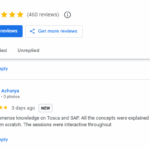
| 👦 I got immense knowledge on Tosca and SAP. All the concepts were explained beautifully and from scratch. The sessions were interactive throughout – Eeshan Acharya
👦 “The advanced hands-on sessions were outstanding. Sir explained complex topics like Fiori automation, API chaining, and CI/CD execution in such a practical and simplified way. Truly next-level training.” — Rahul Deshpande 👧 “I was completely new to advanced SAP automation, but this course made everything crystal clear. Sir covered end-to-end S/4HANA MM & SD automation, Fiori apps, APIs, CI/CD, and even Tosca AI use cases. His real-time demonstrations helped me understand how automation works in actual SAP projects. This course is a complete game-changer!”— Zainab Qureshi 👧 “The trainer made advanced API automation in Tosca extremely easy to understand. From designing reusable API test flows to validating SAP back-end responses, the explanation was simple, structured, and very practical.”— Rebecca Pinto 👦 “Sir’s way of explaining advanced concepts was fantastic. He connected every Tosca feature with real SAP business scenarios—Fiori, S/4HANA modules, Interface testing, everything. I especially liked the CI/CD pipeline execution using Tosca. This felt like real project experience, not just theory.”— Naveen Kumar 👧 “TCD, TDS, Distributed Execution, and even Tosca AI were explained so clearly. These topics always seemed difficult earlier, but sir broke them down with real examples. Excellent trainer!”— Ayesha Siddiqui 👦 “I’ve taken several automation courses earlier, but this advanced Tosca program stands apart. The depth of coverage on SAP MM/SD scenarios, Fiori automation, API workflows, and CI/CD pipelines was impressive. The trainer ensured we understood every concept with hands-on practice. Truly the best course for SAP automation professionals.”— Thomas Varghese 👧 “Very practical and industry-focused training. Each session had hands-on activities—Fiori scanning, API validations, MM/SD business flow automation, and CI/CD execution. Perfect for advancing your Tosca skills.”— Meera Iyer 👦 “This course finally helped me master end-to-end SAP automation. From scanning Fiori apps to automating complex MM/SD business flows using Tosca AI and reusable frameworks, sir taught everything with patience and clarity. I feel fully job-ready for SAP automation roles.”— Faizan Ali |
Salient Features:
- 30+ Hours of Live Training along with recorded videos
- Lifetime access to the recorded videos
- Course Completion Certificate
Who can enroll in this course?
- Manual testers looking to transition into automation testing
- Automation testers who want to learn SAP automation using Tosca
- SAP functional consultants (SD, MM) aiming to enhance testing skills
- Fresh graduates interested in starting a career in software testing
- QA engineers working on enterprise or ERP applications
- IT professionals planning to switch into SAP testing roles
- Test engineers wanting to learn model-based automation tools
- Developers who want to understand automation and testing processes
- DevOps engineers interested in CI/CD and test automation integration
- Business analysts who want to understand SAP workflows and validation
- API testers looking to expand into SAP and Tosca automation
- Freelancers aiming to build expertise in SAP automation tools
- Team leads and managers planning to implement automation frameworks
- Professionals interested in real-time SAP projects and workflows
What will I learn by the End of this course?
- End-to-end SAP automation testing using Tricentis Tosca
- Automation of SAP GUI and Fiori applications with real-time scenarios
- Designing and executing test cases using Tosca Commander
- Model-based and risk-based testing approach in Tosca
- SAP SD (Order-to-Cash) and MM (Procure-to-Pay) workflow automation
- Working with XScan and advanced control identification methods
- Test data management using Tosca Test Data Service (TDS)
- Distributed test execution using DEX (Distributed Execution)
- API testing including GET, POST, PUT, PATCH, DELETE methods
- CI/CD integration using Jenkins with Tosca automation
- Creating reusable automation frameworks for enterprise applications
- Handling recovery and cleanup scenarios in test execution
- Generating reports and analyzing test execution results
- Using Tosca AI (Agentic Automation) for smart test case creation
- Writing TQL queries for advanced test case search and analysis
- Automating Excel, PDF, and file-based validations
- Understanding SAP tables, movement types, and FI integration basics
- Implementing self-healing tests and AI-driven automation techniques
Course syllabus:
SAP Automation
Module 1: Introduction to Tosca
- Introduction to Automation Testing
- Various Automation Testing Tools
- TOSCA for SAP Automation Testing
Module 2: Overview of Tosca
- Introduction to Tricentis Model-Based Test Automation
- Risk based automation testing in Tosca
- Architecture of Tosca
Module 3: TOSCA Setup
- TOSCA Commander download
- Tosca Installation
- Workspace creation
Module 4: SAP GUI Setup
- SAP GUI download
- SAP GUI Installation
- SAP Configuration and Profile Setup
Module 5: Modules
- Standard Modules
- SAP Standard Modules
Module 6: SAP Sales and Distribution , Order to cash flow Automation in Tosca
Agenda – Real Time OTC Flow Automation in Tosca/ Automating E2E Test Cases
- VA11 – Create Inquiry
- VA21 – Create Quotation
- VA01 – Create Sales Order
- VKM3 – Release Sales Order
- VL01N – Create Outbound Delivery
- VF01 – Create Billing Document
Module 7: Introduction to SAP S4Hana Cloud/ Fiori Application
- Register to SAP S4Hana Cloud
- Overview of Fiori Application
- Standard Fiori Module use in Automation
Module 8: SAP Toolbar, SAP Menu, SAP Statusbar
- Use SAP Toolbar Module
- Use SAP Menu Module
- Use SAP Statusbar Module
Module 9: SAP Pop-ups, SAP Subtoolbar
- Pop-up Messages in SAP
- SAP SubToolBar Module
Modules 10 : SAP Table for MM and SD Modules
- Material Table – MARA, MARC, MAKT
- Vendor Table – LFA1, LFB1, LFM1, LFM2
- Customer Table – KNA1, KNB1,
- SD Document Related – VBAK, VBAP, VBRK, VBRP, KONV, VBFA, VBPA
Modules 11 : SD – FI Integration ( Basics Understanding)
- Custome Account, Revenue Account, Bank, Stock COGS, (Credit and Debit Account)
Module 12 : SAP Fiori
- SAP Tiles, Create sales order, Create Purchase Order
- Understand and Automate Fiori Applciation in S4Hana
Module 13 : SAP Organisation Structure
Organisation structure of SAP SD
Tosca AI
- Learn To configure Tosca Agentic AI at your Organisation and basic Admin Features
- Generate a Test Case using Tosca Agentic Test Automation
- Learn Using Real time Use case with S4Hana Fiori Application- Create Sales Order with Uisng Tosca Agentic AI
- Create a TQL Search Query using Tosca AI
- Learn with Real time Use case example like
- Find all Test cases which starts with zip
- Test case using Open URL module
- Test case that are passed last week and failed this week run
- Test case that is having TCP for browser as Chrome
- List of test case that are created by Robert and not in completed state
- Get a Test case Summary Using Tosca AI
- Get Test Execution Insights using Tosca AI
- Ask a question about Tosca Using Agentic AI
- Automation based on visual clues
- Independent of underlying platform or technology, including remote desktop apps delivered with Citrix or VMware
- AI-driven test automation
- Leverage the knowledge of the AI networks to automate and get rid of test customizations.
- Self-healing tests
- Future-proof — reuse tests even after major technology changes and upgrades
- User identified controls
- Train Vision AI to automate custom and proprietary applications that have hard-to-identify controls
Tosca Automation
- Overview Of Tosca Commander
- (Static Menu, Dynamic Menu , Context Menu and Navigation to the different sections(Modules, TestCases,…) )
- Introduction To Tosca Workspaces
- (Single user, Multiuser, base subset)
- Overview of XScan
- (What is XScan?, different views of XScan, Filter, Highlight selection, etc.)
- Control Identification Methods
- (Property, Anchor, Image and Index)
- Introduction To TestCase Section in Tosca
- (TestCase folder, TestCase, TestSteps, TestSteps folder, TestStepValues)
- ActionMode
- (Input, Verify & Buffer)
- Data Types in Tosca
- (String, Number, Password, Boolean)
- Test Configuration Parameters
- (Predefined and Userdefined)
- Table Steering in Tosca
- (action mode: Constraint, HeaderRow,# and $ difference)
- Wait in Tosca
- (WaitOn, TBox Wait)
- Library in Tosca
- (RTB, Business Parameter)
- Rescan, Value Range & Module Merge
- Tosca Execution Section
- (Execution folder, ExecutionLists and ExecutionEntry)
- Recovery Scenario
- (Recovery scenario collection, settings, Retry level)
- Cleanup Scenario
- ResultCount, Repetition and ExplicitName
- Template Creation
- Creation of Test case instance
- Linking TCD to Template
- Test case Design Creation
- Execution list setup In Tosca
- Expression in Tosca
- Control group in Module
- Explicit name in Module
- Cardinality in Module
- Basic TQL in Tosca
- Report generation in Tosca
- Dockusnapper
- Excel Automation in Tosca
- FileScan Automation in Tosca
- PDF Automation
- Pratical Session on Obstacle Course in Tosca as Assignment
Tosca – Advance
Dex – Distributed Execution
- Installation of Tosca Server
- Setup of DEX-AOS Workspace
- Creation of Cutom Proeprties TCDistribution in Tosca Comander
- Configuration of Machine in Tosca Server and Commander
- Creation of Test Event
- Running of Test Event
- Montior the logs in Event view
Test Data Service
- Inegrating Tosca Commander with Tosca Server for Test Data Service using Test Configuration parameter
- TestData – Find & provide item
- TestData – Create & provide new item
- TestData – Update item
- TestData – Move item to type
- TestData – Delete item
- TestData – Import items
- TestData – Export items
- TestData – Update type
- TestData – Expert module
- TDS Logics – Using of Repetition and While loops in TDS to harvest and execute mass data
License Adminstration
- Cloud hosted license
- Self -hosted license
User Adminstration
- Create User
- Create user group
- Generate Client Id Client Secret Client Token
Project Adminstration
- Add your Project and learn about file service, Create Tricentis Server Repository
Adminstration Settings
- Configure AOS workspace , Enabling HTTP, HTTPS PORT and other Services
TC Shell Scripting
- .bat file creation and .tcs file creation
- Execute test case with TCshell and Print Report
Tosca – Jenkins Integration
- Jenkins Installation
- Creation of Freestyle Project
- Running of Batch file
- Configuration of Execution Client File and use of Tosca CI
API Testing
- GET – Get details from API
- PUT- update details from API
- POST- Create details in API
- PATCH- Partial update details in API
- DELETE- Delete details in API
- Use of Logics – Repetition to reterive data from an API
- Use of Headers and Auth in API
FAQs – SAP Automation Testing with Tosca Course
1.What is SAP automation testing with Tosca?
SAP automation testing with Tosca is a scriptless, model-based testing approach used to automate SAP GUI and Fiori applications efficiently.
2.Do I need coding knowledge to learn Tosca?
No, coding is not mandatory. Tosca uses a low-code / no-code automation approach, making it easy for beginners.
3.Does this course cover SAP S/4HANA and Fiori?
Yes, you will learn automation of SAP S/4HANA and Fiori applications with real-time scenarios.
4.Will I get hands-on experience in real-time projects?
Yes, the course includes real-time SAP workflows like Order-to-Cash (OTC) and Procure-to-Pay (PTP).
5.Is API testing included in this course?
Yes, you will learn API automation testing including GET, POST, PUT, PATCH, and DELETE methods.
6.Will I learn CI/CD integration?
Yes, the course covers Jenkins integration with Tosca for CI/CD automation.
7.What is Tosca DEX?
DEX (Distributed Execution) allows you to run test cases across multiple machines for faster execution.
8.What is Tosca Test Data Service (TDS)?
TDS helps manage test data creation, update, and execution for large-scale automation.
9.Is this course suitable for beginners?
Yes, this course is designed for both beginners and experienced professionals.
10.What job roles can I apply for after this course?
You can apply for roles like SAP Test Engineer, Tosca Automation Tester, QA Automation Engineer, and SAP QA Analyst.
How can I enroll for this course?
OR
For any other details, Call me or Whatsapp me on +91-9133190573
Live Sessions Price:
For LIVE sessions – the offer price after discount is 200 USD 159 99 USD Or USD13000 INR 9900 INR 7900 Rupees.
Sample Course Completion Certificate:
Your course completion certificate looks like this……

Testimonials:-
Note:
To maintain the quality of our training and ensure a smooth learning experience for all participants, we do not allow batch repetition or switching between courses.
To reiterate, moving from one course to another or shifting from one trainer to another (even if it is the same course) is not possible. Changing batches or trainers in any form is strictly not permitted.
We request all learners to attend the scheduled sessions regularly and make the most of their learning journey. Thank you for your understanding and continued support.
Course Features
- Lectures 63
- Quiz 0
- Duration 30 hours
- Skill level All levels
- Language English
- Students 0
- Assessments Yes
- 4 Sections
- 63 Lessons
- 30 Hours
- SAP Automation14
- 1.1Module 1: Introduction to Tosca
- 1.2Module 2: Overview of Tosca
- 1.3Module 3: TOSCA Setup
- 1.4Module 4: SAP GUI Setup
- 1.5Module 5: Modules
- 1.6Module 6: SAP Sales and Distribution , Order to cash flow Automation in Tosca
- 1.7Module 7: SAP Material Mangement , Procure to pay flow Automation in Tosca
- 1.8Module 8: Introduction to SAP S4Hana Cloud/ Fiori Application
- 1.9Module 9: SAP Toolbar, SAP Menu, SAP Statusbar
- 1.10Module 10: SAP Pop-ups, SAP Subtoolbar
- 1.11Modules 11 : SAP Table for MM and SD Modules
- 1.12Modules 12 : SAP Movemnet Types
- 1.13Modules 13 : SD – FI Integration ( Basics Understanding)
- 1.14Module 14 : SAP Fiori
- Tosca AI10
- 2.1Learn To configure Tosca Agentic AI at your Organisation and basic Admin Features
- 2.2Generate a Test Case using Tosca Agentic Test Automation
- 2.3Create a TQL Search Query using Tosca AI
- 2.4Get a Test case Summary Using Tosca AI
- 2.5Get Test Execution Insights using Tosca AI
- 2.6Ask a question about Tosca Using Agentic AI
- 2.7Automation based on visual clues
- 2.8AI-driven test automation
- 2.9Self-healing tests
- 2.10User identified controls
- Tosca Automation30
- 3.1Overview Of Tosca Commander
- 3.2Introduction To Tosca Workspaces
- 3.3Overview of XScan
- 3.4Control Identification Methods
- 3.5Introduction To TestCase Section in Tosca
- 3.6ActionMode
- 3.7Data Types in Tosca
- 3.8Test Configuration Parameters
- 3.9Table Steering in Tosca
- 3.10Wait in Tosca
- 3.11Library in Tosca
- 3.12Rescan, Value Range & Module Merge
- 3.13Tosca Execution Section
- 3.14Recovery Scenario
- 3.15Cleanup Scenario
- 3.16ResultCount, Repetition and ExplicitName
- 3.17Template Creation
- 3.18Test case Design Creation
- 3.19Execution list setup In Tosca
- 3.20Expression in Tosca
- 3.21Control group in Module
- 3.22Explicit name in Module
- 3.23Cardinality in Module
- 3.24Basic TQL in Tosca
- 3.25Report generation in Tosca
- 3.26Dockusnapper
- 3.27Excel Automation in Tosca
- 3.28FileScan Automation in Tosca
- 3.29PDF Automation
- 3.30Pratical Session on Obstacle Course in Tosca as Assignment
- Tosca – Advance9