
Complete Application Security Testing Course – OWASP, Penetration Testing & VAPT- Live Training
(Master OWASP Top 10, Vulnerability Assessment, Penetration Testing, API Security, and Mobile Application Security with Real-Time Hands-On Projects)
The Complete Application Security Testing Course is designed to help learners understand web application security, vulnerability assessment, and penetration testing techniques used in modern software development.
This course provides hands-on training on identifying and exploiting OWASP Top 10 vulnerabilities such as SQL Injection, Cross-Site Scripting (XSS), Broken Access Control, and Security Misconfiguration.
You will learn how to perform Vulnerability Assessment and Penetration Testing (VAPT) using industry-standard tools such as Burp Suite, Nmap, Zenmap, Vooki, Snyk, Yazhini, Dex2Jar, and JD-GUI.
The training includes real-time practical exercises on vulnerable applications like OWASP Juice Shop, WebGoat, Altoro Mutual Bank, ParaBank, and Acunetix Test PHP applications.
By the end of this course, you will gain strong knowledge of web security testing, API security testing, Android application security, port scanning, brute force attack testing, and secure application development practices.
This course is ideal for professionals who want to build a career in Cyber Security, Ethical Hacking, Penetration Testing, and Application Security Testing.
Why Choose This Application Security Testing Course – OWASP, Penetration Testing & VAPT?
- Learn OWASP Top 10 vulnerabilities with real-world examples
- Hands-on training with Burp Suite, Nmap, Zenmap, and Vooki tools
- Perform Vulnerability Assessment & Penetration Testing (VAPT)
- Learn Web Application Security Testing
- Practice REST API and SOAP API Security Testing
- Perform Android Application Security Testing
- Understand Network Port Scanning and OS detection
- Identify authentication and authorization vulnerabilities
- Generate security vulnerability reports
- Work on real vulnerable applications with hands-on labs
About the Instructor:
| Madhu Kiran is an ITIL-certified Full Stack SDET Specialist, Corporate Trainer, and Consultant with over 20+ years of rich industry experience in Software Testing and Quality Engineering. He is known for delivering result-oriented corporate training programs that equip IT professionals with strong practical exposure and deep white-box testing knowledge, helping them apply concepts effectively in real-time projects. He brings extensive expertise across Software Testing, Test Automation, Test Practices & Competencies, and the establishment of Testing Centers of Excellence (TCoE).
Madhu Kiran also specializes in modern performance testing, particularly using K6 for API Performance Testing, where he enables learners to master advanced techniques through real-time, hands-on scenarios. His technical proficiency spans across API testing using REST Assured and Postman, performance testing with tools such as JMeter, Gatling, and K6, as well as Security Testing practices. With a strong focus on end-to-end quality engineering, he ensures that learners gain both conceptual clarity and implementation-level understanding. Madhu Kiran strongly believes that learning should be engaging and enjoyable.He follows a unique “Entertrainer” approach, blending deep technical knowledge with an interactive and energetic training style that keeps participants motivated and excited about technology. Over the course of his career, he has successfully trained more than 6,000 professionals across 500+ corporate organizations. He has hands-on experience delivering training in multiple formats, including classroom sessions, live online programs, recorded modules, and on-demand learning, catering to diverse learner needs across various domains and industries. In addition, Madhu Kiran has played a key role in designing and streamlining training materials and processes for QA-related programs across corporate clients. His contributions have consistently helped organizations improve their testing capabilities, enhance team performance, and achieve higher levels of customer satisfaction. |
Sample Videos:
“Security Testing Masterclass: Web, API and Mobile Application Security”-Demo Video
Live Sessions Price:
For LIVE sessions – Offer price after discount is 149 USD 139 99 USD Or USD15000 INR 13000 INR 7900 Rupees.
OR
✨ Recently, we have completed the demo sessions for our current batch. The next batch will be scheduled soon.
📌 To know more details and get complete information about the course, please register using the “Enroll for Free Demo” button, or you can directly reach out to us using the WhatsApp button below.
🙏 Thank you for your interest! Once the new batch date and time are finalized, we will get in touch with you.
Prerequisites:
Good understanding of:
- Websites and web browser
- Client Server architecture
- Web Services/APIs testing
- Basic knowledge of HTTP/HTTPS protocol
- Basic understanding of HTTP methods
- Basic understanding of functional testing
What student’s have to say about Trainer :
| Easy to understand even difficult concepts, step by step explanation with real examples – Vick
Excellent explanation from basics with clear examples. – Shan It is very good for learning and understanding in a simple and logical way. – Nick I appreciate your expertise on teaching the subject with so much clarity and depth. Thank you for being such a wonderful coach and guide. – Latha To the point explanation by instructor, Realtime examples also shared. learned alot through this course. – Kamala Thank you so much Madhu Kiran Sir for the wonder full explanation worth to watch,and you always proves that anybody can learn anything from scratch, if trained by good trainer like you. – Satish |
What will I Learn by the end of this course?
- Understand Application Security Testing fundamentals
- Learn OWASP Top 10 security vulnerabilities
- Perform SQL Injection and Cross-Site Scripting (XSS) attacks
- Identify Broken Access Control and Authentication issues
- Use Nmap for network scanning
- Use Burp Suite for penetration testing
- Perform API Security Testing
- Conduct Web Application Vulnerability Scanning
- Perform Android Application Security Testing
- Scan open source software vulnerabilities using Snyk
- Generate security testing reports
Salient Features:
- 25 Hours of Live Training along with recorded videos
- Lifetime access to the recorded videos
- Course Completion Certificate
Who can enroll in this course?
- Manual Testers who want to learn Security Testing
- Automation Testers interested in Cyber Security
- Software Developers interested in Secure Coding
- Students who want to start a career in Cyber Security
- Professionals interested in Ethical Hacking
- Anyone interested in Application Security Testing
Course syllabus:
CHAPTER 1: INTRODUCTION TO OWASP VULNERABILITIES [HANDS-ON-EXERCISE]
- What is a Threat, Target, CVSS, CVE, Vulnerability Assessment Testing, Penetration Testing, Security testing
- OWASP Vulnerabilities explained
- Sensitive information disclosure
- Using vulnerable & outdated components
- Incorrectly configured & missing response headers
- Insecure design
- Open network ports detection
- Server-side missing validations
- Broken access control
- SQL injection
- Cross-site scripting css/xss injection
- Html injection
- Idor attacks
- Jwt tokens abuse
- Security misconfiguration
- Brute force attacks/ddos attacks
- Unrestricted access to sensitive business flows
- Broken object-level authorization
- Broken user authentication
- Broken object property level
CHAPTER 2: DOWNLOAD & SETUP OF VULNERABLE APPLICATIONS [HANDS-ON-EXERCISE]
- OWASP Juice Shop
- OWASP Web Goat
- Altoro mutual bank application
- Parabank soft application
- Acunetix Test PHP application
- Blazedemo Application
CHAPTER 3: PORT SCANNING USING NMAP/ZENMAP TOOL [HANDS-ON-EXERCISE]
- What is Nmap [Network Mapper] tool
- What are network ports used for
- Download & Installation of Nmap tool for CLI execution & Zenmap tool for UI execution
- Executing commands to discover open, filtered & closed ports and to detect OS and services version details
- Learn how to do different scans i.e., basic/aggressive/quick scan plus/ping scan/OS/multiple hosts/intense scan
CHAPTER 4: INTRODUCTION & INSTALLATION OF BURP SUITE-SECURITY TESTING DAST TOOL [HANDS-ON-EXERCISE]
- What is Burp Suite tool
- Installation of Burp Suite Community Edition
- Walk-through of Burp Suite features
- Understanding Burp Suite tool capabilities
CHAPTER 5: CONDUCTING PENETRATION TESTING USING BURP SUITE TOOL [HANDS-ON-EXERCISE]
- Learn how to setup Burp Suite environment
- Explore the Burp features : Proxy, Target, Intruder, Repeater, Decoder
- Download & Install Burp HTTPS certificate
- Using Burp in-built chromium browser to capture HTTP requests & intercept the same
- Capturing the http requests by configuring Burp Proxy, Burp Interceptor & Burp Repeater
- Learn how to intercept http requests and tamper responses to check server behavior
- How to forward, drop intercepted requests
- Sending the requests to Burp Intruder for brute force attacks using various payloads
- Hacking credentials using Burp Intruder
- Sending the requests to Burp Repeater to test repeatedly with various request tamperings
- Point-to-point attacks using Burp Repeater
- Learn how to encode or decode the request parameters using Burp Suite Decoder
- Visiting BApp store to install top rated plugins to aid in security testing [HACK BAR-PAYLOAD BUCKET, CONTENT TYPE CONVERTER, HTTP METHODS DISCLOSURE, JSON WEB TOKEN ATTACKER]
CHAPTER 6: VULNERABILITY ASSESSMENT TESTING (VAPT) OF REST APIs, SOAP APIs & WEB APPLICATIONS USING VOOKI TOOL [HANDS-ON-EXERCISE]
- Introduction & Installation of Vooki tool
- Walk-through of Vooki tool UI features
- Testing APIs for OWASP top #10 techniques
- Learn how to scan an entire website [Basic Scan, Crawler]
- Learn how to use SSL scanner, understand Cryptography, Domain & Host scanner
- Detect & understand the vulnerabilities identified during the web application scan
- Generate HTML test report for security vulnerabilities found at web application scan
- Conducting full vulnerability testing scan on REST APIs that uses GET, POST, PUT, PATCH, DELETE methods
- Conducting full vulnerability testing scan on SOAP APIs
- Generate HTML test report for security vulnerabilities identified at API security scan
- Detect & understand the vulnerabilities identified during the APIs scan process
CHAPTER 7: ANDROID APPS SECURITY TESTING USING YAZHINI, DEX2JAR & JD-GUI-DAST TOOLS [HANDS-ON-EXERCISE]
- Introduction and Installation of Yazhini tool
- Installation of Dex2Jar, Java Decompiler
- Scanning the Android apk for vulnerabilities
- Conducting Full scan, Basic scan on apk
- Reverse engineering to check if APK can be deobfuscated to see original written code
- Generating the vulnerabilities test report for Android apk scan
- Vulnerability assessment scan of android .apk files and iOS .ipa files
CHAPTER 8: FINDING SOURCE CODE OSS VULNERABILITIES [OPEN SOURCE SOFTWARE] – SAST [HANDS-ON-EXERCISE]
- What is Snyk tool used for
- Sign up & Sign in to Snyk tool
- Adding your Github repo to Snyk project list
- Scanning the source code using Snyk scanner
- Running Snyk from CLI mode
- Understanding the vulnerability test report
FAQ – Complete Application Security Testing Course – OWASP, Penetration Testing & VAPT
1.What is Application Security Testing?
Application Security Testing is the process of identifying security vulnerabilities in software applications such as web applications, APIs, and mobile applications to prevent cyber attacks and protect sensitive data.
2.What is OWASP Top 10?
OWASP Top 10 is a widely recognized list of the most critical web application security risks, including SQL Injection, Cross-Site Scripting (XSS), Broken Access Control, Security Misconfiguration, and Insecure Design.
3.What is VAPT in Cyber Security?
VAPT stands for Vulnerability Assessment and Penetration Testing. It helps identify, analyze, and exploit security vulnerabilities in applications to improve overall system security.
4.What tools will be covered in this course?
This course includes hands-on training with popular security testing tools such as Burp Suite, Nmap, Zenmap, Vooki, Snyk, Yazhini, Dex2Jar, and JD-GUI.
5.Will I learn API Security Testing in this course?
Yes, this course covers REST API and SOAP API security testing, including vulnerability scanning and penetration testing techniques.
6.Does this course include hands-on practical exercises?
Yes, the training includes hands-on practice using vulnerable applications like OWASP Juice Shop, WebGoat, Altoro Mutual Bank, ParaBank, and other testing environments.
7.Is this course suitable for beginners?
Yes, this course starts with cyber security fundamentals and OWASP vulnerabilities and gradually moves to advanced topics like penetration testing and vulnerability assessment.
8.Who should enroll in this Application Security Testing course?
This course is suitable for software testers, developers, cyber security enthusiasts, students, and IT professionals who want to learn application security testing and penetration testing.
9.Will I learn Android application security testing?
Yes, the course includes Android APK security testing, vulnerability scanning, and reverse engineering techniques.
10.What career opportunities are available after learning Application Security Testing?
After completing this course, learners can pursue roles such as Security Tester, Cyber Security Analyst, Penetration Tester, Ethical Hacker, and Application Security Engineer.
How can I enroll for this course?
OR
For any other details, Call me or Whatsapp me on +91- 90529 03733
Live Sessions Price:
For LIVE sessions – Offer price after discount is 149 USD 139 99 USD Or USD15000 INR 13000 INR 7900 Rupees.
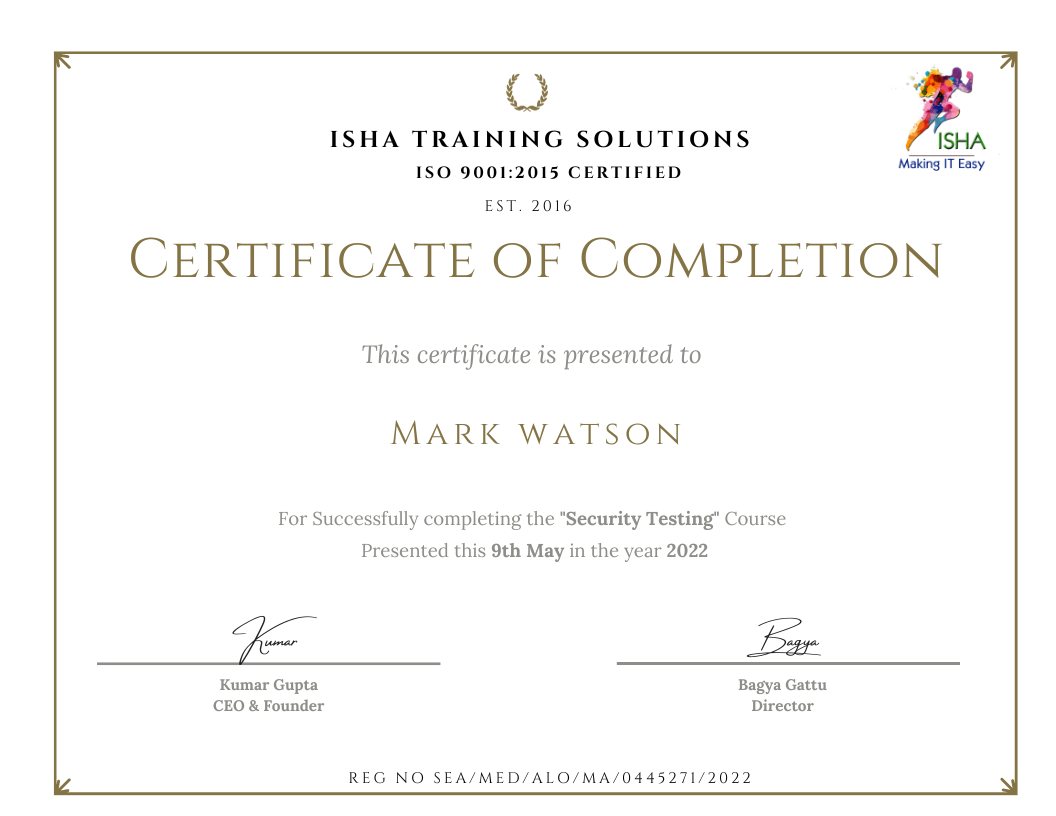
Sample Course Completion Certificate:
Your course completion certificate looks like this……
Important Note:
To maintain the quality of our training and ensure a smooth learning experience for all participants, we do not allow batch repetition or switching between courses.
To reiterate, moving from one course to another or shifting from one trainer to another (even if it is the same course) is not possible. Changing batches or trainers in any form is strictly not permitted.
We request all learners to attend the scheduled sessions regularly and make the most of their learning journey. Thank you for your understanding and continued support.
Course Features
- Lectures 71
- Quiz 0
- Duration 25 hours
- Skill level All levels
- Language English
- Students 1856
- Assessments Yes
- 8 Sections
- 71 Lessons
- 25 Hours
- CHAPTER 1: INTRODUCTION TO OWASP TOP#10 WEB & API VULNERABILITIES [HANDS-ON-EXERCISE]20
- 1.1What is a Threat, Target, Cvss, Cve, Vulnerability Assessment Testing, Penetration Testing, Security testing
- 1.2OWASP Vulnerabilities explained
- 1.3Sensitive information disclosure
- 1.4Using vulnerable & outdated components
- 1.5Incorrectly configured & missing response headers
- 1.6Insecure design
- 1.7Open network ports detection
- 1.8Server-side missing validations
- 1.9Broken access control
- 1.10SQL injection
- 1.11Cross-site scripting css/xss injection
- 1.12Html injection
- 1.13Idor attacks
- 1.14Jwt tokens abuse
- 1.15Security misconfiguration
- 1.16Brute force attacks/ddos attacks
- 1.17Unrestricted access to sensitive business flows
- 1.18Broken object-level authorization
- 1.19Broken user authentication
- 1.20Broken object property level
- CHAPTER 2: DOWNLOAD & SETUP OF VULNERABLE APPLICATIONS [HANDS-ON-EXERCISE]6
- CHAPTER 3: PORT SCANNING USING NMAP/ZENMAP TOOL [HANDS-ON-EXERCISE]5
- 3.1What is Nmap [Network Mapper] tool
- 3.2What are network ports used for
- 3.3Download & Installation of Nmap tool for CLI execution & Zenmap tool for UI execution
- 3.4Executing commands to discover open, filtered & closed ports and to detect OS and services version details
- 3.5Learn how to do different scans i.e., basic/aggressive/quick scan plus/ping scan/OS/multiple hosts/intense scan
- CHAPTER 4: INTRODUCTION & INSTALLATION OF BURP SUITE-SECURITY TESTING DAST TOOL [HANDS-ON-EXERCISE]4
- CHAPTER 5: CONDUCTING PENETRATION TESTING USING BURP SUITE TOOL [HANDS-ON-EXERCISE]13
- 5.1Learn how to setup Burp Suite environment
- 5.2Explore the Burp features : Proxy, Target, Intruder, Repeater, Decoder
- 5.3Download & Install Burp HTTPS certificate
- 5.4Using Burp in-built chromium browser to capture HTTP requests & intercept the same
- 5.5Capturing the http requests by configuring Burp Proxy, Burp Interceptor & Burp Repeater
- 5.6Learn how to intercept http requests and tamper responses to check server behavior
- 5.7How to forward, drop intercepted requests
- 5.8Sending the requests to Burp Intruder for brute force attacks using various payloads
- 5.9Hacking credentials using Burp Intruder
- 5.10Sending the requests to Burp Repeater to test repeatedly with various request tamperings
- 5.11Point-to-point attacks using Burp Repeater
- 5.12Learn how to encode or decode the request parameters using Burp Suite Decoder
- 5.13Visiting BApp store to install top rated plugins to aid in security testing [HACK BAR-PAYLOAD BUCKET, CONTENT TYPE CONVERTER, HTTP METHODS DISCLOSURE, JSON WEB TOKEN ATTACKER]
- CHAPTER 6: VULNERABILITY ASSESSMENT TESTING (VAPT) OF REST APIs, SOAP APIs & WEB APPLICATIONS USING VOOKI TOOL [HANDS-ON-EXERCISE]10
- 6.1Introduction & Installation of Vooki tool
- 6.2Walk-through of Vooki tool UI features
- 6.3Testing APIs for OWASP top #10 techniques
- 6.4Learn how to scan an entire website [Basic Scan, Full Scan, Penetration test, Crawler]
- 6.5Learn how to use SSL scanner, understand Cryptography, Domain & Host scanner
- 6.6Detect & understand the vulnerabilities identified during the web application scan
- 6.7Conducting full scan on REST APIs that uses GET, POST, PUT, PATCH, DELETE methods
- 6.8Conducting full scan on SOAP APIs
- 6.9Generate HTML test report for security vulnerabilities identified at API security scan
- 6.10Detect & understand the vulnerabilities identified during the APIs scan process
- CHAPTER 7: ANDROID APPS SECURITY TESTING USING YAZHINI, DEX2JAR & JD-GUI-DAST TOOLS [HANDS-ON-EXERCISE]7
- 7.1Introduction and Installation of Yazhini tool
- 7.2Installation of Dex2Jar, Java Decompiler
- 7.3Scanning the Android apk for vulnerabilities
- 7.4Conducting Full scan, Basic scan on apk
- 7.5Reverse engineering to check if APK can be deobfuscated to see original written code
- 7.6Generating the vulnerabilities test report for Android apk scan
- 7.7Vulnerability assessment scan of android .apk files and iOS .ipa files
- CHAPTER 8: FINDING SOURCE CODE OSS VULNERABILITIES [OPEN SOURCE SOFTWARE] – SAST [HANDS-ON-EXERCISE]6