TOSCA Hands-On Masterclass: Automate Web, SAP & Salesforce Testing with Real-Time Projects & Industry Use Cases – Live Training
🎯 Certification Preparation Covered in the Course
This course is designed to prepare you for the following certifications:
✅ Automation Specialist Level 1 (AS1)
✅ Automation Specialist Level 2 (AS2)
✅ Automation Engineer Level 1 (AE1)
Guidance will be provided for the above badges.
This TOSCA Hands-On Masterclass: Automate Testing with Real-Time Projects & Industry Use Cases is a complete training program designed to help learners gain in-depth expertise in Tricentis Tosca—from foundational concepts to advanced automation strategies. The course walks you through workspace setup, test case design, execution lists, dynamic data handling, API testing, and template-based automation.
Learners will explore Tosca Commander, Action Modes, Business Parameters, Test Configuration, Steering Parameters, and more through real-time examples and project-based learning. With dedicated modules covering Excel operations, reusable templates, and cleanup scenarios, the course ensures a strong command of data-driven and modular automation frameworks.
About the Instructor:
| A highly experienced QA professional with over 8 years of expertise in software testing, automation, and quality engineering. Skilled in both manual and automated testing, with specialization in tools like TOSCA, QTP/UFT, and various automation frameworks. The trainer has worked across web, mobile, cloud, ERP, and enterprise systems, ensuring deep domain knowledge and a practical understanding of real-world testing challenges.
With a strong background in Agile (SCRUM) implementation, test case design techniques (ECP, BVA, Decision Tables), and data-driven testing, the trainer brings a structured yet hands-on approach to learning. Recognized for delivering interactive, project-based training, the focus is on helping learners gain end-to-end exposure—from test case creation to execution, reporting, and continuous test optimization. The trainer has successfully mentored hundreds of professionals, empowering them with the skills needed to succeed in fast-paced QA roles. Passionate about upskilling future-ready testers, the training emphasizes real-time scenarios, industry standards, and certification preparation for roles in automation and quality assurance. |
Sample Videos:
TOSCA Hands-On Masterclass Demo video:
Live Sessions Price:
For LIVE sessions – Offer price after discount is 159 USD 89 99 USD Or USD13000 INR 9900 INR 7900 Rupees
OR
Free Demo On :
16th July @ 9:00 PM – 10:00 PM (IST) (Indian Timings)/
16th July @ 11:30 AM – 12:30 PM (EST) (U.S Timings)/
16th July @ 4:30 PM – 5:30 PM (BST) (U.K Timings)
Class Schedule :
For Participants in India: Monday to Friday, 9:00 PM – 10:00 PM (IST)
For Participants in US: Monday to Friday, 11:30 AM – 12:30 PM (EST)
For Participants in UK: Monday to Friday, 4:30 PM – 5:30 PM (BST)
What student’s have to say about Satish:
| 👦Rajeev:
The instructor explained each concept with clarity. I can now confidently build and execute test cases in TOSCA. 👩Ritika: Excellent training! I was new to automation, but this course made TOSCA simple and approachable. 👩Fatima: Very detailed and practical. The real-time scenarios helped me understand how TOSCA works in actual projects. 👦Siddharth: From module creation to dynamic buffers, every topic was covered in a hands-on way. Great experience 👦Naveen: Helped me clear my Tosca certification with ease. Thank you for the structured guidance 👩Anjali: I’ve attended other automation courses, but this one stands out for its simplicity and effectiveness. |
Salient Features:
- 30 Hours of Live Training along with recorded videos
- Lifetime access to the recorded videos
- Course Completion Certificate
Who can enroll in this course?
- Manual Testers looking to transition into automation using Tosca
- Automation Engineers seeking to enhance their skills with model-based testing
- QA Professionals who want to gain hands-on experience in end-to-end test automation
- Freshers/Graduates in Computer Science or IT aspiring to build a career in software testing
- Test Leads and Managers aiming to implement Tosca in their automation strategy
- Anyone preparing for Tosca Certifications like AS1, AS2, or AE1
What will I learn by the End of this course?
- Confidently use Tosca Commander for test case creation and execution
- Design and automate web, desktop, API, and SAP-based applications
- Work with Modules, Templates, Test Sheets, Execution Lists, and Test Configurations
- Implement data-driven testing using Excel and dynamic buffers
- Apply dynamic synchronization, loops, and conditional execution in test cases
- Leverage business parameters and steering parameters for reusable test design
- Manage workspaces, libraries, and perform module merge and rescan operations
- Execute tests efficiently and generate detailed reports
- Understand real-world automation workflows and apply Tosca in enterprise testing projects
- Prepare for Tricentis certifications like AS1, AS2, AE1, and TDS1
Course syllabus:
Module I – TOSCA (30 Hours)
Automation Testing Overview
- Introduction to Software Automation
- Why Automation is necessary
- What is Manual & Automation Testing
- What is a Defect, Verification &Validation
- BUG Life Cycle
Tosca Components
- Tosca Commander
- Tosca Executor
- Tosca CI
- Tosca Wizard
Sections in Tosca
- Modules
- Test cases
- Execution
- Test case design
- Test planning
- Requirements
- Configurations
- Data Integrity testing
Types of Engines
- Tbox
- Classic
Identifiers
- Identify by own properties
- Identify by Anchor
- Identify by Image
- Identify by Index
- Xpath
Test Configuration Parameter
- What is TCP
- Where we need to declare this parameter
- What is the use of TCP
- Difference between TCP and Business parameter
Configuration Parameters
- EXPLICITNAME
- CONSTRAINT INDEX
- AVOID SNAPPER
Synchronization:
- Static Wait
- Dynamic Wait
Basic Window Operations
- Minimize & Maximize Browsers
- Take screenshot
- Send keys
- Dialog
- Clipboard
- Scrolling behavior
- Save As
SCREENSHOT IN TOSCA
- TBOX Take Screenshot
- DokuSnapper
FOLDER OPERATIONS
Dynamic Expression
- Date
- Time
- Random Number
- Random Text
- Random Regular Expressions
- Month
- Day
- Regular Expressions
Recovery Scenario
Cleanup scenario
Conditions & Loops
- If Condition and Else
- While
- Do
- Repetition
Arithmetic Operations
- MATH( )
- CALC( )
- Web Tables
- How to handle Web tables
Excel Operation
- Excel Operations
- Read and write operations
Click Operations
Frameworks
- Modular framework
- Library
- Reusable Test Step Blocks
- Business Parameters
Data Driven Framework
- Classes
- Attributes
- Instances
- Test Sheet
Hybrid Frame work
Miscellenous:
- Test Data Services
- Distributed Execution (DEX)
- Distributed Execution with Legacy
- Distributed Execution with AOS
- Tosca Server Setup
- Test Mandate
- Test Event
- Configurations
- Agent & Server Configuration Setup
- Execution Scheduling
- Recording
- Manual
- Automation
- Automated Test Data Driven
- Exploratory Scenario
Module II – TOSCA with SAP (2.5 Hours)
- Introduction to SAP
- SAP Modules o SAP Testing Tools
- SAP Automation with Tosca Set up SAP Environment
- Set up SAP Logon pad installation
- Set up SAP IDES System
- SAP Scanning
- SAP Real time Scan Modules in SD Environments
- SAP Standard Modules
- SAP Login
- SAP Logon
- SAP Menu
- SAP Multiple Logon License Warning
- SAP Status bar
- SAP Sub Toolbar
- SAP Toolbar
- SAP Tree View
- SAP Emulated Tree
- SAP Emulated Table Tree
- SAP Test case preparation and Execution
- SAP Live Examples
- VA01- Generate and Verify Sales Order
- VL01N-Create Outbound Delivery
- LT03-Create Transfer Order
- VL02N-Change Outbound Delivery
- VF01- Create Billing Document
- VF03-Display Billing Document & Perform a Baseline Comparison.
- Distributed Execution for SAP Test cases.
Module III: TOSCA API (2.5 Hours)
- Tosca API Scan
- API Scan Results
- Tosca Export
- API Modules Assigning the Parameters
- API Test Cases
- Execute API Test Case
Module IV: Tosca Automation for Salesforce Applications
- Salesforce Testing Overview
- Salesforce Module Scanning and Automation
- Creating and Managing Salesforce Test Cases
- Handling Salesforce Dynamic Elements
- Verification of Salesforce UI Components and Data
Module V: Certifications
Guidance will be provided for the following badges:
- Automation Specialist Level 1 Certification
- Automation Specialist Level 2 Certification
- Automation Engineer Level 1 Certification
How can I enroll for this course?
OR
Call or WhatsApp on +91-9133190573 to register for free demo
Live Sessions Price:
For LIVE sessions – Offer price after discount is 159 USD 89 99 USD Or USD13000 INR 9900 INR 7900 Rupees
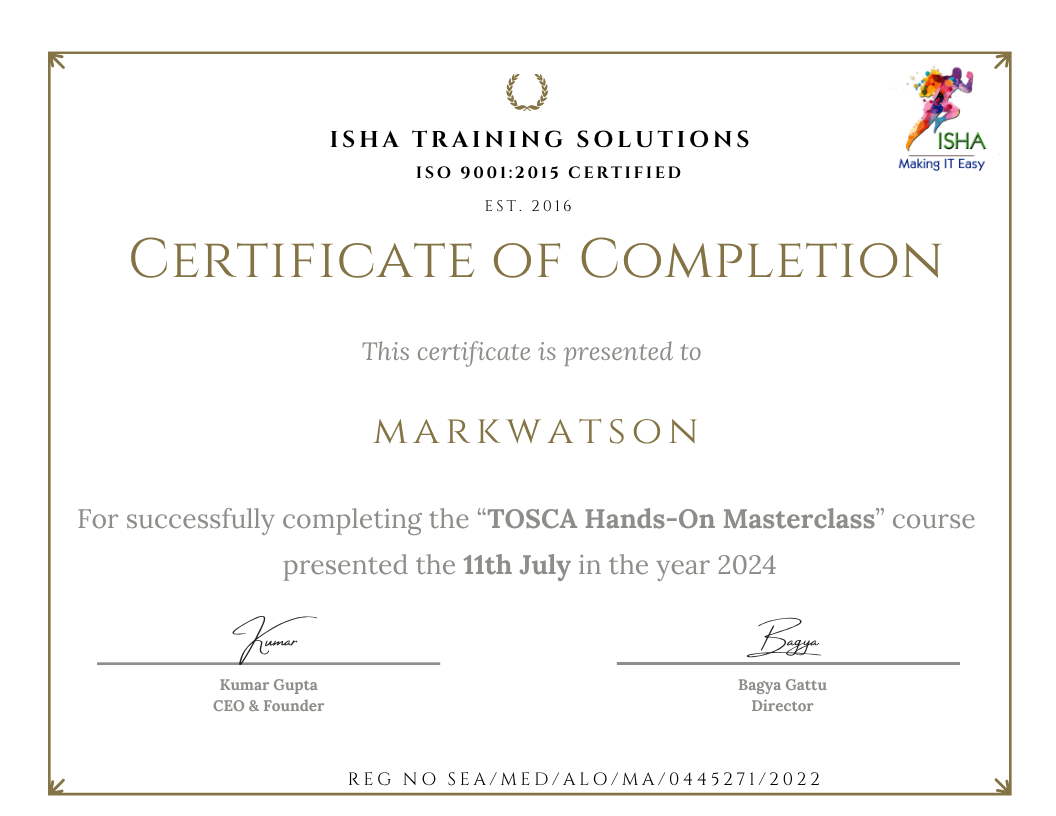
Sample Course Completion Certificate:
Your course completion certificate looks like this……
Important Note:
To maintain the quality of our training and ensure smooth progress for all learners, we do not allow batch repetition or switching between courses. Once you enroll in a batch, please make sure to attend the classes regularly as per the schedule. We kindly request you to plan your learning accordingly. Thank you for your support and understanding.
Course Features
- Lectures 124
- Quiz 0
- Duration 30 hours
- Skill level All levels
- Language English
- Students 0
- Assessments Yes
- 27 Sections
- 124 Lessons
- 30 Hours
- Automation Testing Overview5
- Tosca Components4
- Sections in Tosca8
- Types of Engines2
- Identifiers5
- Test Configuration Parameter4
- Configuration Parameters3
- Synchronization2
- Basic Window Operations7
- SCREENSHOT IN TOSCA2
- FOLDER OPERATIONS0
- Dynamic Expression8
- Recovery Scenario0
- Cleanup scenario0
- Conditions & Loops4
- Arithmetic Operations4
- Excel Operation2
- Click Operations0
- Frameworks4
- Data Driven Framework4
- Hybrid Frame work0
- Miscellenous:15
- 22.1Test Data Services
- 22.2Distributed Execution (DEX)
- 22.3Distributed Execution with Legacy
- 22.4Distributed Execution with AOS
- 22.5Tosca Server Setup
- 22.6Test Mandate
- 22.7Test Event
- 22.8Configurations
- 22.9Agent & Server Configuration Setup
- 22.10Execution Scheduling
- 22.11Recording
- 22.12Manual
- 22.13Automation
- 22.14Automated Test Data Driven
- 22.15Exploratory Scenario
- TOSCA with SAP27
- 23.1Introduction to SAP
- 23.2SAP Modules o SAP Testing Tools
- 23.3SAP Automation with Tosca Set up SAP Environment
- 23.4Set up SAP Logon pad installation
- 23.5Set up SAP IDES System
- 23.6SAP Scanning
- 23.7SAP Real time Scan Modules in SD Environments
- 23.8SAP Standard Modules
- 23.9SAP Login
- 23.10SAP Logon
- 23.11SAP Menu
- 23.12SAP Multiple Logon License Warning
- 23.13SAP Status bar
- 23.14SAP Sub Toolbar
- 23.15SAP Toolbar
- 23.16SAP Tree View
- 23.17SAP Emulated Tree
- 23.18SAP Emulated Table Tree
- 23.19SAP Test case preparation and Execution
- 23.20SAP Live Examples
- 23.21VA01- Generate and Verify Sales Order
- 23.22VL01N-Create Outbound Delivery
- 23.23LT03-Create Transfer Order
- 23.24VL02N-Change Outbound Delivery
- 23.25VF01- Create Billing Document
- 23.26VF03-Display Billing Document & Perform a Baseline Comparison.
- 23.27Distributed Execution for SAP Test cases.
- TOSCA API6
- Tosca Automation for Salesforce Applications5
- Certifications0
- Guidance will be provided for the following badges:3