Tricentis Tosca Automation Testing Training – SAP, API, DEX, TDS & Real-Time Framework– Live Training
(Master Tricentis Tosca automation testing with real-time framework development, SAP automation, API testing (REST & SOAP), distributed execution (DEX), and Test Data Service (TDS).)
This Tricentis Tosca Automation Testing Training program is designed to help learners master model-based test automation using one of the leading enterprise automation tools. The course covers everything from Tosca fundamentals, workspace setup, module creation, and test case development to advanced automation concepts used in real-world projects.
You will gain hands-on experience in dynamic test data handling, reusable test components, synchronization techniques, and advanced control automation. The training also focuses on Excel-driven testing, test case design, reporting, and collaboration using multi-user workspaces.
In the advanced phase, learners will work with SAP automation testing, API testing (REST & SOAP services), Distributed Execution (DEX), and Test Data Service (TDS) for large-scale enterprise automation. The course also introduces Tosca Query Language (TQL) and industry best practices to build scalable automation frameworks.
By the end of this training, you will be able to design, develop, and execute end-to-end automation frameworks using Tricentis Tosca, handle complex applications like SAP, perform API testing, and manage enterprise test automation projects confidently.
Badges Preparation Supported in the Course
Our training provides guidance and support for the following Tricentis Tosca badges:
- Tricentis Tosca Fundamentals- Automating web application testing– AS1
- Tricentis Tosca Fundamentals- optimizing Test Automation with centralized Test Data–AS2
- Tricentis Tosca Deep Dive–Automating beyond Web application–AE1
- Tricentis Tosca Deep Dive–Structuring your test cases and test data– TDS1
- Tricentis Tosca Deep Dive–Managing your stateful data– TDS2
- Tricentis Tosca Deep Dive– Automationg API Test cases
Why Choose This Tricentis Tosca Automation Testing Training – SAP, API, DEX, TDS & Real-Time Framework Course?
- Comprehensive Tosca Automation Training – Learn Tricentis Tosca from fundamentals to advanced automation concepts used in real-world projects.
- Real-Time Automation Framework Development – Build scalable and maintainable automation frameworks used in enterprise environments.
- Hands-on SAP Automation Testing – Gain practical experience automating SAP business workflows using Tosca.
- API Testing with REST & SOAP Services – Learn how to validate and automate APIs using Tosca API testing features.
- Distributed Test Execution (DEX) – Execute automation tests across multiple machines for faster test execution.
- Test Data Management with TDS – Learn centralized test data management using Tosca Test Data Service.
- Advanced Automation Techniques – Work with dynamic test data, buffers, synchronization, reusable TestStepBlocks, and advanced controls.
- Excel-Driven Test Automation – Integrate Excel sheets for data-driven testing and automation scenarios.
- Industry Best Practices – Understand Tosca Query Language (TQL) and best practices for scalable automation projects.
- End-to-End Project Implementation – Work on a real-time project covering test design, automation, execution, and reporting.
- Course Completion Certificate – Receive a certificate that helps strengthen your automation testing career profile.
About the Instructor:
| Vikram is a seasoned Tosca Automation Specialist with over 8 years of hands-on experience in test automation and quality engineering. He has successfully implemented Tosca in multiple enterprise-level projects across domains like banking, e-commerce, and healthcare.
Known for his clear teaching style and real-time project examples, Vikram specializes in helping both beginners and experienced testers transition smoothly into automation using Tricentis Tosca. He is proficient in Tosca modules, TBox frameworks, API testing, Test Case Design (TCD), and best practices in automation strategy. With a strong passion for mentoring, Vikram has trained hundreds of students and QA professionals, guiding many of them toward Tosca certifications and successful job placements. His sessions are hands-on, practical, and designed to make complex concepts easy to understand. |
Sample Videos:
“Tosca Automation Testing with Web, API, SAP– Beginner to Expert Program” – Demo Video
“Tosca Automation Testing with Web, API, SAP – Beginner to Expert Program” – Day 1 Video
Live Sessions Price:
For LIVE sessions – Offer price after discount is 159 USD 129 99 USD Or USD9900 INR 7900 Rupees.
OR
✨ Recently, we have completed the demo sessions for our current batch. The next batch will be scheduled soon.
📌 To know more details and get complete information about the course, please register using the “Enroll for Free Demo” button, or you can directly reach out to us using the WhatsApp button above.
🙏 Thank you for your interest! Once the new batch date and time are finalized, we will get in touch with you.
What student’s have to say about Trainer :
|
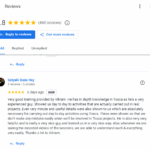
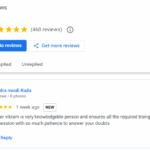
👨Trainer vikram is very knowledgeble person and ensures all the required traings covered in this session with so much patience to answer your doubts – chandra mouli Rada 👨 Very good training provided by Vikram. He has in depth knowledge in Tosca as he’s a very experienced guy. Showed us day to day to activities that are actually carried out in real projects. Even very minute and useful details were also shown to us which are absolutely necessary for carrying out day to day activities using Tosca. These were shown so that we don’t make any mistake easily when we’ll be involved in Tosca projects. He is also very very helpful and is really a very nice guy and trained us in a very nice way. Also whenever we are seeing the recorded videos of the sessions, we are able to understand each & everything very easily. Thanks a lot to Vikram. – Satyaki Basu Ray 👨The training was very well structured. Concepts were explained clearly with real-time examples, which made it easy to understand Tosca from basics to advanced. – Christopher 👩The sessions were interactive, and even complex topics like synchronization and API testing were explained in a simple way. Great learning experience with Vikram Sir. – Ananya 👨Practical exercises and real-world scenarios made learning Tosca much easier. Vikram Sir’s guidance was very effective throughout the course. – Ahmed 👩A smooth learning experience from basics to advanced. The training was clear, structured, and very practical. – Jessica 👨The course was excellent and gave me the skills to design and execute Tosca test cases independently. Truly worth it.” – Rajesh 👩The sessions were well-paced, interactive, and covered end-to-end automation topics including API testing. Thanks to Vikram Sir’s way of teaching, I feel more confident now. – Fatima 👨Very professional training with focus on practical scenarios. Vikram Sir explained everything with patience, which really helped me. – Michael 👩The trainer ensured all doubts were cleared, and the project assignment at the end gave me real confidence. A big thanks to Vikram Sir. – Ashley |
What will I learn by the end of this course?
- Understand Tricentis Tosca architecture, workspace setup, and project structure.
- Learn how to scan applications using XScan and create reusable modules.
- Develop automation test cases using Tosca’s model-based testing approach.
- Work with dynamic test data using buffers, random expressions, and dynamic date expressions.
- Implement synchronization techniques such as dynamic waits and static waits for stable automation.
- Create reusable TestStepBlocks and implement conditional logic in Tosca test cases.
- Automate complex controls including tables, dynamic elements, and image-based controls.
- Perform Excel-driven automation and integrate external test data with Tosca templates.
- Generate test execution reports and documentation using DokuSnapper.
- Automate SAP business processes using Tosca SAP automation features.
- Execute API testing for REST and SOAP services using Tosca.
- Run tests across multiple machines using Distributed Execution (DEX).
- Manage centralized test data using Test Data Service (TDS).
- Use Tosca Query Language (TQL) to efficiently manage and retrieve Tosca objects.
- Design and execute a real-time end-to-end automation testing project.
Salient Features:
- 25 Hours of Live Training along with recorded videos
- Lifetime access to the recorded videos
- Course Completion Certificate
Who can enroll in this course?
- Manual Testers who want to transition into Automation Testing using Tricentis Tosca
- Software Test Engineers looking to upgrade their skills in test automation frameworks
- QA Analysts and QA Engineers who want to learn enterprise automation tools
- Automation Test Engineers interested in learning model-based testing with Tosca
- SAP Testers who want to implement SAP automation testing using Tosca
- API Testers who want to learn API automation testing (REST & SOAP)
- Fresh Graduates / IT Aspirants who want to start a career in automation testing
- Professionals working in Software Testing or Quality Assurance who want to enhance their automation skills
Course syllabus:
1. Foundation Phase
This phase builds the foundation for learners by introducing Tosca, setting up the environment, and creating their first automated test cases.
1.1 Setup & Introduction
-
Demo of Tosca Tool – A walkthrough of Tosca’s features, UI, and capabilities for test automation.
-
Tool Access & License Activation – Step-by-step process to access Tosca and activate licenses.
-
Pre-requisites for Setup – Understanding system requirements and preparing the environment.
1.2 Workspace & UI
-
Tosca Workspace Overview – Introduction to Tosca workspace types, folder structures, and how to organize projects.
-
Tosca Frameworks – Exploring Tosca frameworks and how they fit into different project needs.
-
XScan Introduction – Learning to capture and identify application objects with Tosca’s scanning tool.
-
Sections in Tosca Commander / Tosca UI – Navigating Tosca Commander, project view, execution list, and their functionalities.
1.3 Modules & Test Cases
-
Understanding Modules and Their Content – Explaining modules, their hierarchy, and components.
-
Module Scanning – Process of Module Creation – Live demonstration of scanning applications and creating reusable modules.
-
Basic Development of Test Cases – Building the first simple test cases, execution steps, and results interpretation.
2. Intermediate Phase
Learners gain hands-on experience with reusable automation, synchronization, advanced controls, and real-world test design.
2.1 Dynamic Data Handling
-
Random Expressions – Using randomization for test data generation.
-
Buffers (Static & Dynamic) – Storing, retrieving, and manipulating values across test cases.
2.2 Synchronization & Execution
-
Synchronization – Dynamic Waits & Static Waits – Handling application response delays with efficient waits.
-
SendKeys Operations – Automating keyboard actions.
-
Dynamic Date Expressions & Related Settings – Managing date-driven applications with flexible expressions.
2.3 Reusability & Logic
-
Reusable TestStepBlocks – Creating reusable automation steps for multiple test cases.
-
Conditional Statements in Tosca – Implementing decision-based workflows (if/else).
2.4 Advanced Controls
-
Explicit Name & TBox Evaluation Tool – Assigning explicit names for better identification and using TBox for validations.
-
Image-based Controls – Automating image recognition-based components.
-
Disappearing Dropdowns – Handling dynamic controls that appear/disappear.
2.5 Module & Table Handling
-
Rescan & Remap of Controls – Updating modules without recreating them.
-
Module Merge & Constraint Index – Combining modules and managing constraint indexes.
-
Component Folder Management – Organizing components for easier maintenance.
-
Result Count & Repetition – Running iterations and validating execution counts.
-
Scanning & Steering Tables (RowCount, ColumnCount) – Reading and steering table data dynamically.
-
Working with Tables using Constraint Action Mode – Automating complex tables with row/column filters.
2.6 Advanced Synchronization & Browser
-
Partial Buffer & Dynamic Buffer – Advanced buffer techniques for dynamic data handling.
-
Synchronization Timeout Concepts – Configuring timeouts for stable test execution.
-
TaskKill Command – Closing unwanted processes during automation.
-
Cross-Browser Testing – Executing test cases across multiple browsers.
-
Browser Navigation (Go Back / Forward) – Automating navigation actions within browsers.
3. Test Design & Data Handling
Focuses on creating structured, reusable test cases, integrating external data, and managing collaboration.
3.1 Test Case Design
-
Designing Structured Test Cases – Understanding Tosca’s model-based approach to designing test cases.
-
Template-based Test Design – Creating reusable templates for scalability and maintainability.
3.2 Excel Integration & Reporting
-
Linking Excel Sheets to Templates – Parameterizing test data using Excel.
-
Generating Reports – Producing execution results and performance metrics.
-
DokuSnapper for Documentation – Automatically generating project documentation.
3.3 Excel Automation
-
Working with Excel Sheets using Standard Modules – Automating Excel-driven test cases.
-
Excel Scan Method – Capturing Excel as an application under test.
3.4 Collaboration & Recovery
-
Multi-user Workspace Setup – Sharing projects in collaborative team environments.
-
Recovery Scenarios – Designing test recovery flows for unexpected failures.
-
Cleanup Scenarios – Automating cleanup steps after execution to reset the environment.
4. Advanced Automation
Prepares learners for enterprise-level automation, tool integrations, and industry best practices.
4.1 SAP Automation
-
End-to-End SAP Flow Automation – Automating complete SAP business processes.
4.2 Distributed Execution & Test Data
-
DEX (Distributed Execution) – Executing tests in parallel across machines.
-
TDS (Test Data Service) – Centralized test data management for large-scale testing.
4.3 Query Language & Best Practices
-
TQL (Tosca Query Language) – Retrieving and managing Tosca objects efficiently.
-
Tosca Best Practices – Following guidelines to maintain scalable automation projects.
4.4 API Testing & Final Project
-
Tosca API Testing (REST & SOAP Services) – Automating API validations with Tosca.
-
Project Assignment – End-to-end project covering test design, execution, and reporting.
FAQ – Tricentis Tosca Automation Testing Training – SAP, API, DEX, TDS & Real-Time Framework
1. What is Tricentis Tosca Automation Testing?
Tricentis Tosca is a model-based test automation tool used for automating web, desktop, SAP, and API applications. It helps teams create scalable and maintainable automation frameworks without heavy coding.
2. Do I need programming knowledge to learn Tosca?
No, programming knowledge is not mandatory. Tosca uses a model-based and scriptless automation approach, which makes it easier for manual testers and beginners to learn automation.
3. Does this course cover SAP automation testing?
Yes, this course includes end-to-end SAP automation testing using Tosca, helping learners automate SAP business processes used in enterprise applications.
4. Will I learn API testing in this course?
Yes, the course includes API automation testing using REST and SOAP services with Tosca.
5. What are DEX and TDS in Tosca?
DEX (Distributed Execution) allows tests to run on multiple machines simultaneously, while TDS (Test Data Service) helps manage centralized test data for automation projects.
6. Is this course suitable for beginners?
Yes, the training starts from Tosca fundamentals and gradually moves to advanced automation concepts, making it suitable for beginners as well as experienced testers.
7. Will I work on real-time projects during the training?
Yes, learners will work on a real-time automation project that includes test design, automation development, execution, and reporting.
8. Will I get a certificate after completing the course?
Yes, you will receive a course completion certificate after successfully completing the training.
9. What kind of jobs can I apply for after completing this course?
After completing the training, you can apply for roles such as Tosca Automation Tester, Automation Test Engineer, QA Automation Engineer, and SAP Automation Tester.
10. Is this training conducted online or offline?
The training is available online with instructor-led sessions and hands-on practical exercises.
How can I enroll for this course?
OR
For any other details, Call me or Whatsapp me on +91-9133190573
Live Sessions Price:
For LIVE sessions – Offer price after discount is 159 USD 129 99 USD Or USD9900 INR 7900 Rupees.
Sample Course Completion Certificate:
Your course completion certificate looks like this……

Testimonials:-
Important Note:
To maintain the quality of our training and ensure a smooth learning experience for all participants, we do not allow batch repetition or switching between courses.
To reiterate, moving from one course to another or shifting from one trainer to another (even if it is the same course) is not possible. Changing batches or trainers in any form is strictly not permitted.
We request all learners to attend the scheduled sessions regularly and make the most of their learning journey. Thank you for your understanding and continued support.
Course Features
- Lectures 17
- Quiz 0
- Duration 25 hours
- Skill level All levels
- Language English
- Students 0
- Assessments Yes
- 4 Sections
- 17 Lessons
- 25 Hours
- Foundation Phase3
- Intermediate Phase6
- Test Design & Data Handling4
- Advanced Automation4