Selenium with Python – Practical Automation Framework Mastery – Live Training
(Master Selenium WebDriver, Python, PyTest & Page Object Model with Real-Time Frameworks)
This course is designed to help you become a skilled automation tester using Python and Selenium WebDriver. You’ll start with Python basics and gradually move to building robust test automation frameworks using PyTest and Page Object Model (POM). Gain hands-on experience with real-time scenarios like handling alerts, dynamic elements, waits, and data-driven testing. You’ll also learn to generate reports and structure scalable frameworks from scratch. Ideal for beginners and professionals aiming to level up their automation testing skills.
About the Instructor:
| With extensive experience in automation testing, the trainer has worked hands-on with Selenium (Java and Python) and UFT using descriptive programming. He has played a key role in developing and executing automation scripts, building frameworks, and analyzing requirements. His expertise includes functional, regression, and re-testing, with strong exposure to test design, defect tracking, and status reporting. He is also skilled in technologies like Python, Django, Pandas, Docker, Bamboo, API testing, Heroku, and Power BI, bringing a well-rounded understanding of modern QA practices.
Passionate about empowering professionals, he has successfully mentored over 100+ students and QA engineers. His training approach is focused on real-time project scenarios, interview-oriented content, and hands-on learning. Students benefit from his structured delivery, emphasis on industry best practices, and a deep commitment to ensuring they are prepared to meet real-world automation challenges with confidence. |
Sample Videos:
Selenium with Python – Practical Automation Framework Mastery-Demo Video
Selenium with Python – Practical Automation Framework Mastery-Day 1 Video
Live Sessions Price:
Offer price after discount is 200 USD 159 89 USD Or USD19000 INR 99000 INR 6900 Rupees.
OR
✨ Recently, we have completed the demo sessions for our current batch. The next batch will be scheduled soon.
📌 To know more details and get complete information about the course, please register using the “Enroll for Free Demo” button, or you can directly reach out to us using the WhatsApp button below.
🙏 Thank you for your interest! Once the new batch date and time are finalized, we will get in touch with you.
What student’s have to say about Pavan:
| This course really helped me understand Selenium with Python from scratch. The trainer explained everything in a simple and clear way. – Priya Sharma
Loved the hands-on examples and the real-time framework part. I feel confident to handle automation projects now. – Yusuf Ali Good course for beginners. The Python basics were well covered and easy to follow – Rohan Patel I was a manual tester before, and now I can write automation scripts comfortably. Thanks to the clear explanations and support. – Arjun Nair Helpful course with practical assignments. The trainer shared real-time scenarios which made a big difference. – Meena Raju Well-structured content and very beginner-friendly. The framework building sessions were the highlight for me. – Harpreet Singh The examples used were real-world and easy to relate to. Would definitely recommend to anyone entering automation testing. – Sarah Mathew |
What will I Learn by end of this course?
- Write effective automation scripts using Python and Selenium WebDriver
- Automate real-time web applications with robust locators and wait strategies
- Build end-to-end automation frameworks using PyTest and Page Object Model (POM)
- Perform data-driven testing using Excel, CSV, and JSON files
- Handle dynamic web elements, alerts, windows, frames, and popups
- Generate professional HTML and Allure test reports
- Understand best practices for designing scalable, maintainable automation frameworks
Salient Features:
- 30 Hours of Live Training along with recorded videos
- Lifetime access to the recorded videos
- Course Completion Certificate
Who can enroll in this course?
- Manual testers looking to transition into automation testing
- Beginners who want to learn Selenium and Python from scratch
- Automation engineers seeking to strengthen their framework design skills
- Students and freshers aiming for QA/testing roles in the IT industry
- Professionals preparing for interviews or real-time automation projects
- Anyone with basic programming knowledge and a passion for testing
Course syllabus:
🔹 Module 1: Introduction & Setup
Overview on Automation Testing
Introduction to Selenium
Overview of Python in testing
Setting up Python, PyCharm/VS Code
Installing Selenium, PyTest, Robot Framework
Installing browser drivers (ChromeDriver, GeckoDriver)
Creating first Selenium script in Python
🔹 Module 2: Python Basics Refresher
Variables, Data types, Operators
Conditional Statements and Loops
Functions and Modules
Python Object Oriented Programming concepts
File handling (important for data-driven testing)
Exception handling
Working with Excel/CSV files
🔹 Module 3: Selenium WebDriver Basics
Locating elements (ID, Name, XPath, CSS)
Browser navigation and interactions
Handling alerts, frames, windows
Taking screenshots, waits (explicit/implicit)
Headless browser testing
🔹 Module 4: Advanced Selenium Topics
Working with dropdowns, checkboxes, radio buttons
Parallel execution basics
Handling dynamic elements and waits
Integration with Excel for test data (openpyxl/pandas)
Database automation testing
🔹 Module 5: Data-Driven Testing with PyTest
Introduction to PyTest
Writing test functions and using assertions
Setup and teardown (fixture management)
Parametrizing tests (data-driven)
Running tests with command line
Generating HTML reports
Sending an email along with test reports
🔹 Module 6: Page Object Model (POM) in Selenium
Introduction to POM
Structuring test code using POM
Creating Page classes and reusable methods
Base page, utilities, and test data separation
Implementing test scenarios using PyTest + POM
🔹 Module 7: Robot Framework with Selenium
Introduction to Robot Framework
Installing SeleniumLibrary and setup
Writing test cases using keywords
Creating user-defined keywords
Test suites and resource files
Variables, Tags, Setup/Teardown
Generating reports and logs
Integration with Python libraries
Running tests via command line
🔹 Module 8: Version Control Systems
Organizing tests with directory
Git & GitHub basics for test project
Generating and publishing test reports
How can enroll in this course?
Call or Whatsapp Kumar gupta @ +91-9133190573
OR
Offer price after discount is 200 USD 159 89 USD Or USD19000 INR 99000 INR 6900 Rupees.
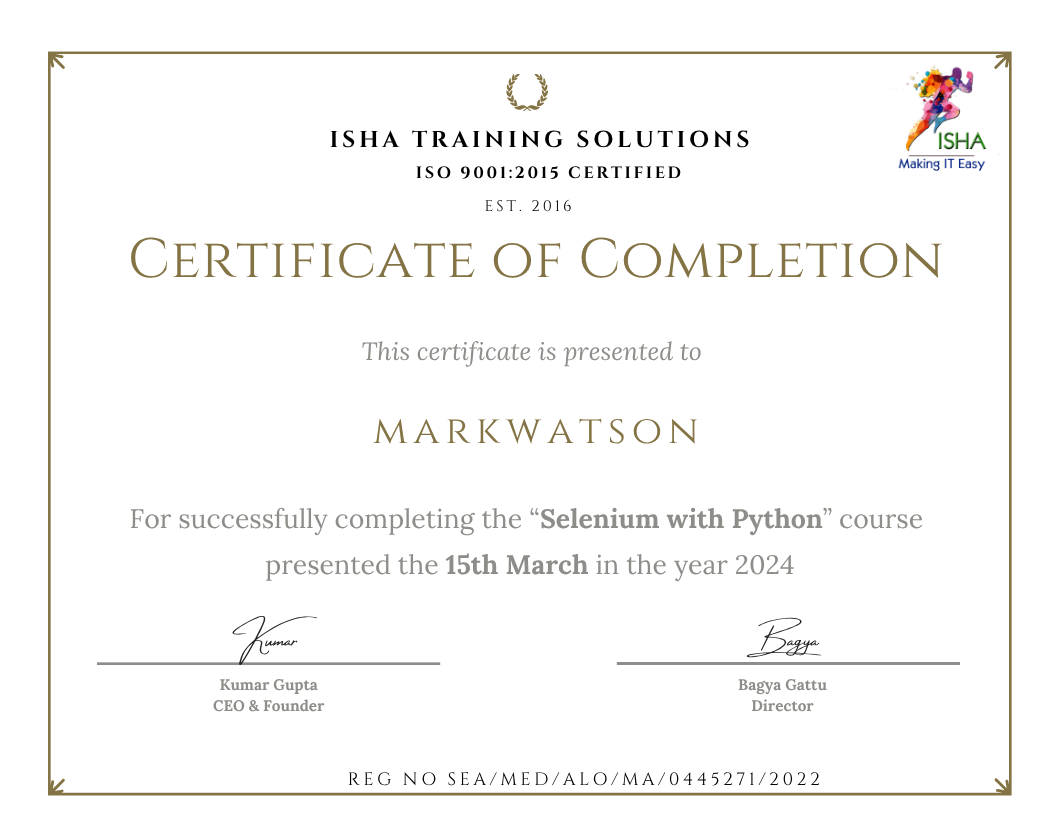
Sample Course Completion Certificate:
Your course completion certificate looks like this……
Important Note:
To maintain the quality of our training and ensure smooth progress for all learners, we do not allow batch repetition or switching between courses. Once you enroll in a batch, please make sure to attend the classes regularly as per the schedule. We kindly request you to plan your learning accordingly. Thank you for your support and understanding.
Course Features
- Lectures 48
- Quiz 0
- Duration 30 hours
- Skill level All levels
- Language English
- Students 0
- Assessments Yes
- 8 Sections
- 48 Lessons
- 30 Hours
- Module 1: Introduction & Setup7
- Module 2: Python Basics Refresher7
- Module 3: Selenium WebDriver Basics5
- Module 4: Advanced Selenium Topics5
- Module 5: Data-Driven Testing with PyTest7
- Module 6: Page Object Model (POM) in Selenium5
- Module 7: Robot Framework with Selenium9
- 7.1Introduction to Robot Framework
- 7.2Installing SeleniumLibrary and setup
- 7.3Writing test cases using keywords
- 7.4Creating user-defined keywords
- 7.5Test suites and resource files
- 7.6Variables, Tags, Setup/Teardown
- 7.7Generating reports and logs
- 7.8Integration with Python libraries
- 7.9Running tests via command line
- Module 8: Test Management & CI/CD3