AI-Powered Playwright Automation with Python – UI, API & CI/CD Framework -Live Training
(Master Playwright Automation Testing with Python and learn to build scalable UI and API automation frameworks. Gain hands-on experience with Pytest framework development, cross-browser testing, CI/CD pipeline integration, and real-world end-to-end automation projects.)
The AI Powered Playwright Automation with Python – UI, API & CI/CD Framework Live Training is designed to help you master modern automation testing using Playwright and Python. This course starts with the fundamentals of Python and gradually moves towards building advanced automation frameworks used in real-world testing projects.
You will learn how to perform UI automation testing using Playwright, interact with web elements, handle locators, validations, synchronization, and cross-browser testing. The training also covers API validation techniques, allowing you to combine UI and API automation testing for more reliable end-to-end testing.
To build scalable and maintainable automation projects, the course introduces framework development using Pytest and Page Object Model (POM). You will also learn data-driven testing, test execution across multiple browsers, and reporting techniques used in professional automation frameworks.
In addition, the program includes modern DevOps practices such as CI/CD integration. These skills will help you understand how automation testing works in real software development environments.
By the end of the course, you will build a complete end-to-end Playwright automation framework with Python, covering UI automation, API validations, cross-browser execution, and CI/CD pipelines through hands-on projects and real-time scenarios.
Why Choose This AI-Powered Playwright Automation with Python – UI, API & CI/CD Framework Course?
- Comprehensive Playwright Automation Training – Learn modern Playwright Automation with Python, covering UI automation, API testing, and real-world automation frameworks used in the industry.
- Hands-On Framework Development – Build a complete Playwright automation framework using Python, Pytest, and Page Object Model (POM) for scalable and maintainable test automation.
- End-to-End UI & API Automation Testing – Gain practical experience in UI automation testing, API validations, and hybrid testing approaches using Playwright and Python.
- Cross-Browser Automation Testing – Execute automation tests across Chromium, Firefox, and WebKit browsers using Playwright’s powerful cross-browser capabilities.
- CI/CD Integration for Modern DevOps – Learn how to integrate Playwright automation tests with CI/CD pipelines using GitHub Actions for continuous testing and faster software delivery.
- Real-World Automation Projects – Work on practical assignments and projects to build a complete end-to-end Playwright automation testing framework.
- Industry-Relevant Skills – Gain expertise in Playwright automation testing, Python automation frameworks, CI/CD automation, and modern testing practices required for automation testing roles.
About the Instructor:
|
Tripura is a passionate Automation Testing professional with extensive experience in Web Automation, Playwright, Selenium, and Python-based Test Frameworks. Over 8 years, she has worked across multiple real-world automation projects, building scalable and maintainable frameworks for UI and API validation using modern tools and best practices. Having trained and mentored 300+ professionals globally and conducted over 15 successful corporate and public training batches, Tripura is known for transforming learners into confident automation engineers ready for real-world challenges. Known for her hands-on and example-driven teaching style, she simplifies even complex automation concepts — from synchronization to CI/CD integration — making learning both engaging and practical. What truly sets her apart is her ability to bridge theory with real-world implementation. Through her interactive sessions, learners gain the confidence to design complete Playwright automation frameworks using Python, integrate them with Jenkins or GitHub Actions, and apply these skills effectively in live projects. |
Sample Videos:
AI-Powered Playwright Automation with Python – UI, API & CI/CD Framework -Live Training – Demo Recording
AI-Powered Playwright Automation with Python – UI, API & CI/CD Framework -Live Training – Day 1 Recording
Live Sessions Price:
For LIVE sessions – Offer price after discount is 300 USD 259 99 USD Or USD13000 INR 12900 INR 7900 Rupees
OR
Free Demo On:
Indian Timings: 1st July @ 9:00 PM– 10:00 PM (IST)/
U.S Timings: 1st July @ 11:30 AM – 12:30 PM (EST)/
U.K Timings: 1st July @ 4:30 PM – 5:30 PM (BST)
Class Schedule:
For Participants in India: Monday to Friday @ 9:00 PM– 10:00 PM (IST)
For Participants in the US: Monday to Friday @ 11:30 AM – 12:30 PM (EST)
For Participants in the UK: Monday to Friday @ 4:30 PM – 5:30 PM (BST)
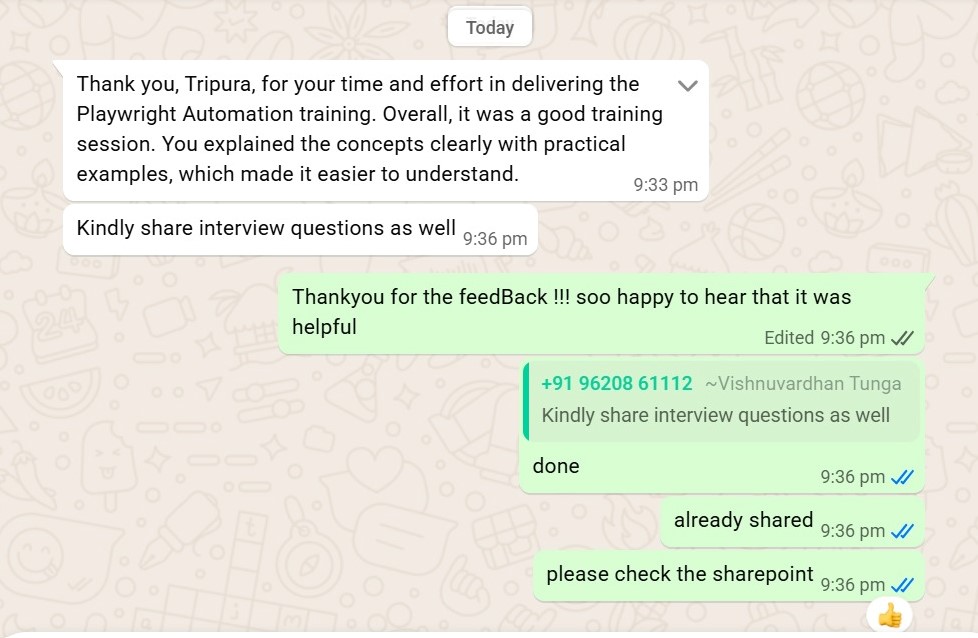
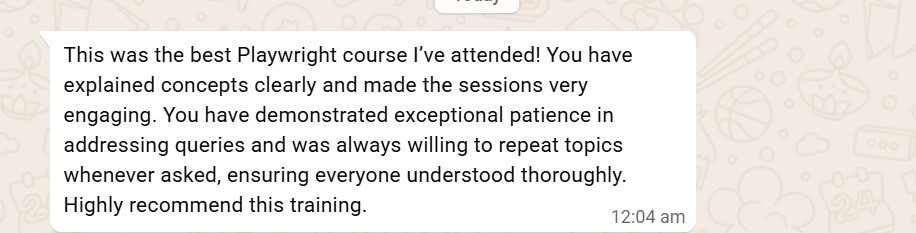
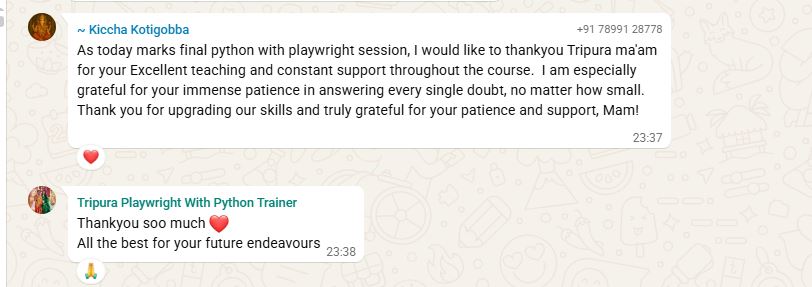
What students have to say about Tripura:
|
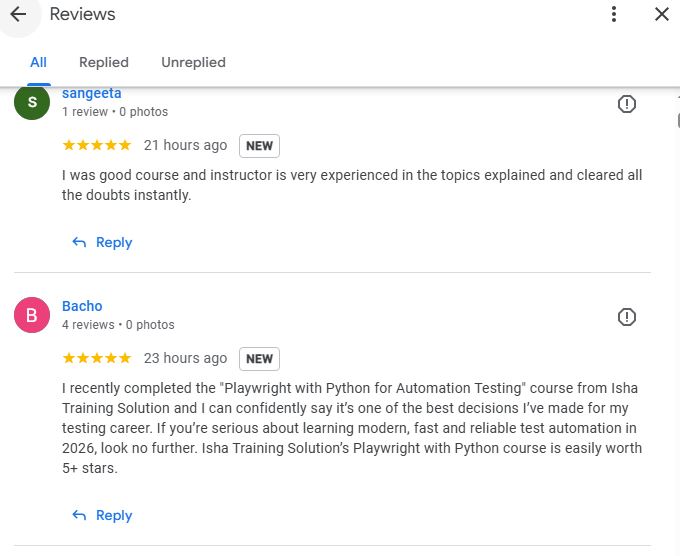
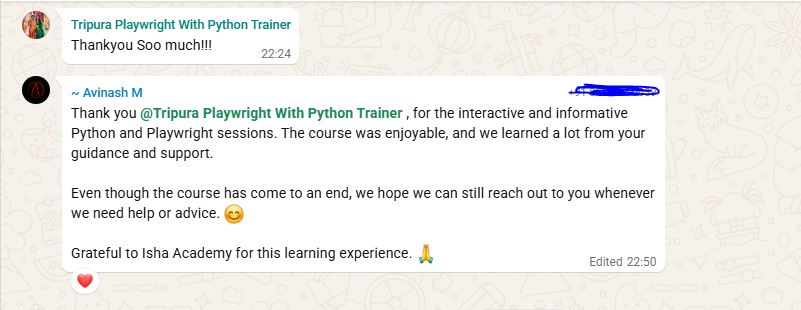
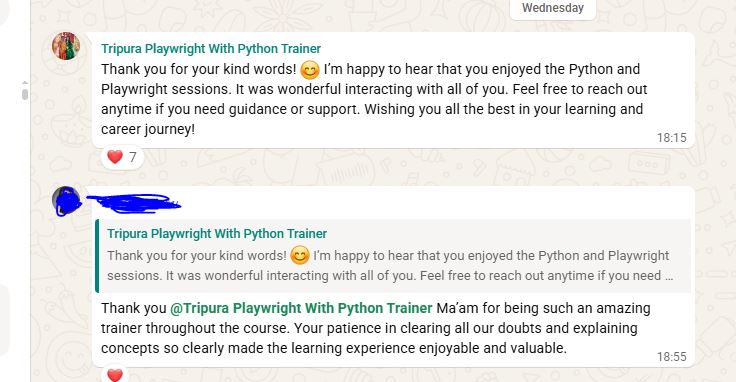
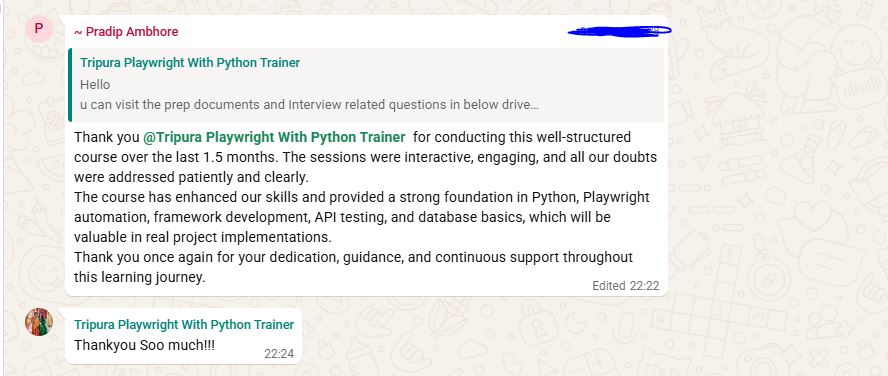
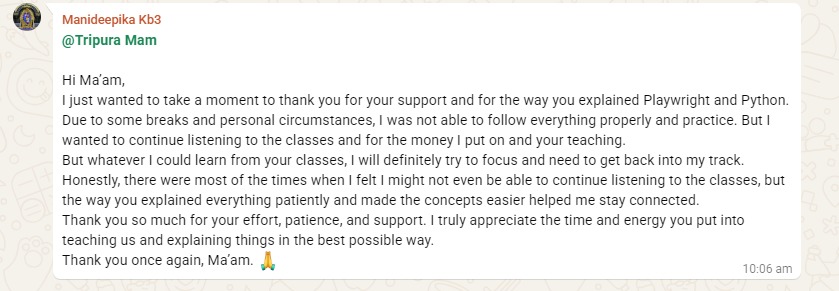
👨 Kiccha Kotigobba: 👨 Chiranjiv chakravarthi: @Tripura Mam Thank you Tripura for your time that you have given me for this session. I was very impressed with the way the concepts were delivered. I hope that in future you will continue to make more students knowledegable. Your technique was excellent through which all A to Z were deliverd iand I trully appreciate eerything. 👨 Bhawesh: @Tripura Mam 👩 Manideepika: Hi Ma’am, I just wanted to take a moment to thank you for your support and for the way you explained Playwright and Python. Due to some breaks and personal circumstances, I was not able to follow everything properly and practice. But I wanted to continue listening to the classes and for the money I put on and your teaching. But whatever I could learn from your classes, I will definitely try to focus and need to get back into my track. Honestly, there were most of the times when I felt I might not even be able to continue listening to the classes, but the way you explained everything patiently and made the concepts easier helped me stay connected.Thank you so much for your effort, patience, and support. I truly appreciate the time and energy you put into teaching us and explaining things in the best possible way. 👩 Tripti Pandey: 👨 Pradip Ambhore: Thank you @Tripura Playwright With Python Trainer for conducting this well-structured course over the last 1.5 months. The sessions were interactive, engaging, and all our doubts were addressed patiently and clearly. The course has enhanced our skills and provided a strong foundation in Python, Playwright automation, framework development, API testing, and database basics, which will be valuable in real project implementations. Thank you once again for your dedication, guidance, and continuous support throughout this learning journey. 👨 Hari Pavan: 👨 Avinash M: Even though the course has come to an end, we hope we can still reach out to you whenever we need help or advice. 😊 Grateful to Isha Academy for this learning experience. 🙏❤️ 👨Sasi: Thank you @Tripura Playwright With Python Trainer Ma’am for being such an amazing trainer throughout the course. Your patience in clearing all our doubts and explaining concepts so clearly made the learning experience enjoyable and valuable. 👩 Bacho I recently completed the “Playwright with Python for Automation Testing” course from Isha Training Solution and I can confidently say it’s one of the best decisions I’ve made for my testing career. If you’re serious about learning modern, fast and reliable test automation in 2026, look no further. Isha Training Solution’s Playwright with Python course is easily worth 5+ stars. 👩 Kirti: 👨 Vishnu: 👨Shahensha: 👨 Rohit Kulkarni: 👩 Sana: 👨 Karthik Reddy: 👩 Priyanka Guptha: 👨 Aditya Chauhan: 👩 Pooja Abhishek Maheshwari: |
What Will I Learn by the End of This Course?
- Understand the fundamentals of Playwright Automation with Python and how modern automation testing frameworks are built for real-world projects.
- Perform UI automation testing using Playwright, including handling web elements, locators, forms, validations, and browser interactions.
- Implement cross-browser automation testing by running Playwright tests on Chromium, Firefox, and WebKit browsers.
- Build scalable automation frameworks using Python, Pytest, and Page Object Model (POM) for maintainable test automation projects.
- Perform API automation testing and validations and combine UI + API testing for complete end-to-end automation workflows.
- Implement data-driven testing using JSON or CSV files to run automation tests with multiple test data sets.
- Integrate automation tests with CI/CD pipelines using GitHub Actions to enable continuous testing in modern DevOps environments.
- Gain hands-on experience by building a complete end-to-end Playwright automation framework with reporting, cross-browser execution, and real-time projects.
Salient Features:
- 30 Hours of Live Training along with recorded videos
- one year access to the recorded videos
- Course Completion Certificate
Who can enroll for this course?
- Manual Testers who want to upgrade their skills and move into automation testing using Playwright with Python.
- Automation Test Engineers looking to learn modern Playwright automation frameworks and improve their Python automation testing skills.
- Software Testers and QA Engineers who want to build scalable UI and API automation frameworks using Playwright.
- Developers interested in learning automation testing with Python and implementing automated tests for web applications.
- Freshers or Beginners in Testing who want to start a career in automation testing and Playwright framework development.
- DevOps Engineers who want to integrate automation testing with CI/CD pipelines.
- Anyone interested in learning modern test automation tools like Playwright, Python, and Pytest for real-world projects.
Course syllabus:
Phase 0: Python Essentials for Test Automation (Day 1–3)
Day 1: Python Setup & Basics
- What is automation testing and why Playwright?
- Installing Python and IDE (VS Code / PyCharm)
- Writing and running first Python script
🎯 Assignment: Print “Welcome to Playwright Automation” using Python.
Day 2: Core Python for Testers
- Variables, Data Types, and Operators
- Conditional Statements (if, elif, else)
- Loops (for, while)
- Functions and Parameters
- Lists & Dictionaries for test data
🎯 Assignment: Write a Python function to check valid login credentials.
Day 3: Useful Python Concepts for Automation
- File Handling (read/write test data)
- Exception Handling (try/except)
- Importing Modules
- Basic understanding of Classes and Objects (no deep OOP)
🎯 Assignment: Read a CSV file of user data and print usernames.
Phase 1: Playwright Foundations (Day 4–8)
Day 4: Getting Started with Playwright
- What is Playwright? Architecture and key features
- Supported browsers and language bindings
- Installing Playwright for Python
- Launching browsers (headed/headless)
- Writing first Playwright script (open → search → screenshot)
🎯 Assignment: Automate Google search and capture screenshot.
Day 5: Element Interactions
- Element actions: click(), fill(), type(), press()
- Keyboard and Mouse simulation
- Handling dropdowns, checkboxes, and radio buttons
🎯 Assignment: Automate login flow on a demo site.
Day 6: Locators & Selectors
- CSS vs XPath
- Text, Role, and Attribute locators
- Using locator(), get_by_text(), nth()
🛠 Mini Project: Automate product search & validation on a demo e-commerce site.
Day 7: Assertions & Validations
- Using expect assertions
- Validating text, attributes, and visibility
- Handling alerts, popups, and dialogs
🎯 Assignment: Automate form submission and validate confirmation message.
Day 8: Synchronization & Error Handling
- Auto-waiting mechanism
- Explicit waits: wait_for_selector(), wait_for_load_state()
- Handling timeouts and retries
- Capturing screenshots on failure
🎯 Assignment: Stabilize flaky test using synchronization.
Phase 2: Framework Concepts & Reusability (Day 9–13)
Day 9: Page Object Model (POM)
- Understanding POM and its benefits
- Creating reusable Page classes and methods
- Structuring tests for scalability
🎯 Assignment: Refactor login using POM architecture.
Day 10: Iframes, Popups, and File Handling
- Working with iframes & nested frames
- Handling alerts and multiple windows
- File upload & download automation
🛠 Mini Project: Automate an iframe-based form and download a file.
Day 11: Cookies, Sessions & Configurations
- Managing cookies and local storage
- Reusing login sessions
- Using config files (JSON/YAML) for URLs and credentials
🎯 Assignment: Automate session reuse between tests.
Day 12: Debugging & Codegen Tools
- Using Playwright Codegen
- Playwright Inspector and Trace Viewer
- Debugging flaky tests
🎯 Assignment: Generate test script using Codegen and modify it.
Day 13: Logging & Reporting
- Python logging module
- Playwright HTML and Allure reports
- Attaching screenshots and logs to reports
🎯 Assignment: Generate an Allure report with failure screenshots.
Phase 3: Test Execution, Data-Driven & CI/CD (Day 14–19)
Day 14: Pytest Integration
- Setting up Playwright with Pytest
- Using fixtures for setup/teardown
- Test grouping and tagging
🎯 Assignment: Run Playwright tests with Pytest and tags.
Day 15: Data-Driven Testing
- Using pytest.mark.parametrize
- Reading data from CSV/JSON
🎯 Assignment: Automate login for multiple users from JSON data.
Day 16: Parallel & Cross-Browser Execution
- Running tests in parallel using Pytest
- Executing on Chromium, Firefox, and WebKit
🛠 Mini Project: Validate end-to-end flow across browsers.
Day 17: CI/CD Integration
- Basics of Git and GitHub
- Setting up Playwright tests in GitHub Actions
- Running tests automatically on commit
🎯 Assignment: Push code to GitHub and trigger pipeline.
Day 18–19: Advanced Reporting & Maintenance
- Configuring Allure / HTML Reports
- Maintaining test data and logs
- Version control & project cleanup best practices
🎯 Assignment: Create a report summary for last test execution.
Phase 4: Advanced Playwright Features & Modern Automation (Day 20–28)
Day 20: Hybrid UI + API Testing
- Using Python’s requests library with Playwright
- Validating backend responses pre/post UI actions
🎯 Assignment: Trigger an API and verify response on UI.
Day 21: Advanced API Validations
- Validating status codes, headers, and response bodies
- Chaining API → UI flows
🛠 Mini Project: API-based login followed by UI dashboard validation.
Day 22: Mobile Emulation & Responsive Testing
- Emulating mobile devices (iPhone, Android)
- Testing responsiveness across resolutions
🎯 Assignment: Validate layout for different viewports.
Day 23: Geolocation & Network Simulation
- Mocking location (latitude/longitude)
- Simulating offline/slow networks
🎯 Assignment: Automate location-based or offline mode test.
Day 24: Cloud Testing (BrowserStack / LambdaTest)
- Configuring Playwright with cloud providers
- Running tests across real devices and browsers
🎯 Assignment: Execute sample suite on BrowserStack or LambdaTest.
Day 25: Data-Based Test Execution
- Introduction to Data and containerization
- Setting up Playwright inside Data (official Playwright image)
- Building and running Playwright tests inside Data
🎯 Assignment: Create and run a Data Playwright test suite.
Day 26: Visual Regression Testing
- Introduction to visual validation
- Using Playwright’s to_have_screenshot() for baseline comparisons
- Integrating with Percy or Applitools Eyes (Free Tier)
🎯 Assignment: Capture and compare UI screenshots between builds.
Day 27: AI-Driven & Self-Healing Testing
- Understanding AI in automation testing
- Overview of AI-powered locator healing (concepts using Healenium/Testim)
- Using Playwright Codegen + ChatGPT for smart script generation
🎯 Assignment: Demonstrate auto-locator updates and self-healing concept.
Day 28: BDD with Playwright (Behavior-Driven Development)
- What is BDD and Gherkin syntax (Given-When-Then)
- Setting up Behave or pytest-bdd with Playwright
- Writing .feature files and mapping steps to Python code
🎯 Assignment: Automate a login feature using BDD format.
Phase 5: Final Project & Wrap-Up (Day 29–30)
Day 29: End-to-End Framework Project
📌 Build a complete automation framework including:
- UI Automation (Login, Search, Checkout)
- API validations
- Data-driven and cross-browser execution
- Docker-based execution
- Visual validation integration
- BDD workflow and CI pipeline
🎯 Project: Full e-commerce automation suite using POM + Pytest + BDD.
Day 30: Final Presentation & Career Guidance
- Project presentation and feedback
- GitHub cleanup and documentation
- Resume building and interview preparation for Playwright Test Engineer roles
FAQ’s – AI Powered Playwright Automation with Python – UI, API & CI/CD Framework
1. What is Playwright Automation with Python?
Playwright Automation with Python is a modern automation testing approach used to automate web applications across multiple browsers like Chromium, Firefox, and WebKit using the Python programming language.
2. Do I need prior coding experience to learn Playwright with Python?
No. This course starts with Python basics for automation testing, making it suitable for beginners as well as manual testers who want to transition into automation testing.
3. What tools and technologies will I learn in this course?
You will learn Playwright Automation with Python, Pytest framework, UI automation testing, API testing, CI/CD integration, and cross-browser automation.
4. Will this course include real-time automation projects?
Yes. The course includes hands-on assignments, mini projects, and a final end-to-end automation framework project using Playwright and Python.
5. Can I run Playwright tests on different browsers?
Yes. Playwright supports cross-browser automation testing and allows you to run tests on Chromium, Firefox, and WebKit browsers.
6. Does this course cover CI/CD integration?
Yes. You will learn how to integrate Playwright automation tests with CI/CD pipelines using GitHub Actions for continuous testing in modern DevOps environments.
7. Will I learn how to build an automation framework in this course?
Yes. The course covers automation framework development using Python, Pytest, and Page Object Model (POM) to create scalable and maintainable automation frameworks.
8. What job roles can I apply for after completing this course?
After completing this course, you can apply for roles such as Automation Test Engineer, Playwright Automation Tester, QA Automation Engineer, and Software Test Automation Engineer.
How can I enroll for this course?
OR
For any other details, Call me or Whatsapp me on +91-9133190573
Live Sessions Price:
For LIVE sessions – Offer price after discount is 135 USD 129 99 USD Or USD25000 INR 19000 INR 7900 Rupees.
Sample Course Completion Certificate:
Your course completion certificate looks like this……

Reviews:





Important Note:
To maintain the quality of our training and ensure a smooth learning experience for all participants, we do not allow batch repetition or switching between courses.
To reiterate, moving from one course to another or shifting from one trainer to another (even if it is the same course) is not possible. Changing batches or trainers in any form is strictly not permitted.
We request all learners to attend the scheduled sessions regularly and make the most of their learning journey. Thank you for your understanding and continued support.
Course Features
- Lectures 30
- Quiz 0
- Duration 30 hours
- Skill level All levels
- Language English
- Students 0
- Assessments Yes
- 6 Sections
- 30 Lessons
- 30 Hours
- Phase 0: Python Essentials for Test Automation (Day 1–3)3
- Phase 1: Playwright Foundations (Day 4–8)5
- Phase 2: Framework Concepts & Reusability (Day 9–13)5
- Phase 3: Test Execution, Data-Driven & CI/CD (Day 14–19)6
- Phase 4: Advanced Playwright Features & Modern Automation (Day 20–28)9
- 5.1Day 20: Hybrid UI + API Testing
- 5.2Day 21: Advanced API Validations
- 5.3Day 22: Mobile Emulation & Responsive Testing
- 5.4Day 23: Geolocation & Network Simulation
- 5.5Day 24: Cloud Testing (BrowserStack / LambdaTest)
- 5.6Day 25: Docker-Based Test Execution
- 5.7Day 26: Visual Regression Testing
- 5.8Day 27: AI-Driven & Self-Healing Testing
- 5.9Day 28: BDD with Playwright (Behavior-Driven Development)
- Phase 5: Final Project & Wrap-Up (Day 29–30)2