Apache JMeter Performance Testing: From Beginner to Advanced – Live Training
(Master end-to-end performance testing with Apache JMeter, covering fundamentals, scripting, real-world scenarios, API testing, execution, advanced reporting, InfluxDB and Grafana Integration, Jenkins Integration, Groovy Scripting, Dynatrace Integration)
Apache JMeter Performance Testing: From Beginner to Advanced – Live Training is a comprehensive, hands-on program designed to help you master performance testing using Apache JMeter. This course covers core concepts such as load, stress, and spike testing, along with HTTP/HTTPS fundamentals, client-server architecture, and real-world performance scenarios.
You will gain practical experience in creating, enhancing, and executing JMeter test scripts for web applications and REST APIs. The training focuses on key techniques like parameterization, correlation, workload modeling, and test execution in both GUI and non-GUI modes, along with generating and analyzing detailed performance reports.
By the end of the course, you will be able to identify performance bottlenecks, interpret test results, and present findings professionally, making you well-prepared for real-world performance testing and engineering roles.
We provide self-paced videos on InfluxDB and Grafana integration, Jenkins integration, Groovy scripting, and Dynatrace integration, designed to help you gain strong practical knowledge and deepen your expertise.
About the Instructor:
|
Harish is a seasoned Performance Testing Professional with over 10+ years of industry experience and 5+ years of training expertise. He possesses strong knowledge of core performance testing concepts along with hands-on experience in leading tools such as Apache JMeter, LoadRunner, Silk Performer, and BlazeMeter. Having worked across Banking, Insurance, and E-commerce domains, he brings practical insights into handling high-traffic applications, identifying performance bottlenecks, and ensuring system scalability and stability. He has successfully trained 200+ students and also delivered personalized 1-on-1 training sessions, catering to learners from different backgrounds and experience levels. Harish is known for his structured and simplified teaching approach, making complex performance testing concepts easy to understand. His sessions are highly practical and focused on real-time scenarios, helping learners gain industry-relevant skills with confidence. In his training, he covers end-to-end performance testing workflows including scripting, parameterization, correlation, workload modeling, API testing, execution, and reporting. He also emphasizes industry best practices such as CI/CD integration, performance optimization, bottleneck analysis, and professional reporting standards. His goal is to equip learners with the knowledge and hands-on experience required to work on real-time projects and build successful careers in performance testing. |
Live Sessions Price:
For LIVE sessions – Offer price after discount is 300 USD 259 99 USD Or USD13000 INR 12900 INR 7900 Rupees
OR
Free Demo On:
Indian Timings: 18th May @ 9 PM – 10 PM (IST)/
U.S Timings: 18th May @ 11:30 AM – 12:30 PM (EST)/
U.K Timings: 18 May @ 4:30 PM – 5:30 PM (BST)
Class Schedule:
For Participants in India: Monday to Friday @ 9 PM – 10 PM (IST)
For Participants in the US: Monday to Friday @ 11:30 AM – 12:30 PM (EST)
For Participants in the UK: Monday to Friday @ 4:30 PM – 5:30 PM (BST)
What Our Students Say About the Trainer:
| Really enjoyed the sessions. Harish explains JMeter in a simple way and covers real-time scenarios which helped me understand better. – Suresh
Good course for anyone starting in performance testing. Harish makes complex topics simple and easy to understand. The hands-on practice sessions helped me gain confidence in working with JMeter. – Punam I found this course very useful for understanding real-world performance testing. Harish Pawar focuses on practical knowledge and gives clear explanations. – Sagar Gupta This is one of the most practical training programs I have attended. Harish Pawar doesn’t just teach concepts, he explains how they are used in real-time projects. The hands-on sessions, assignments, and project work made a huge difference in my learning. He also guided us on interviews and resume preparation, which is very useful for job seekers. – Vihan Joshi A solid course for performance testing beginners and professionals. Harish Pawar covers all important topics with real-time examples. The training helped me improve my understanding of JMeter and testing workflows. – Daniel Smitth I highly recommend this course to anyone who wants to build a career in performance testing. Harish Pawar has great teaching skills and explains even complex topics in a very simple manner. The course covers everything from basics to advanced concepts. The real-time project and interview preparation sessions were extremely helpful. Overall, a complete package for learning and career growth. – Lakshmi |
Who can enroll in this course?
- Beginners who want to start a career in Performance Testing
- Manual Testers looking to upskill into Load & Stress Testing
- Automation Testers wanting to expand into Performance Engineering
- QA Engineers aiming to gain expertise in Real-World Scenarios
- Developers interested in understanding Application Performance & Bottlenecks
- Fresh Graduates & Students seeking Industry-Ready Skills
- DevOps Engineers working with CI/CD & Performance Monitoring
- Performance Testers who want to master advanced concepts in Apache JMeter
- IT Professionals looking to learn API Testing, Scripting & Reporting
Salient Features:
- 40+ Hours of Live JMeter Performance Testing Training with real-time project implementation
- Lifetime access to recorded sessions for continuous learning and revision
- Hands-on practical sessions with real-world performance testing scenarios
What will I learn by the end of this course?
- Strong understanding of Performance Testing Fundamentals (Load, Stress, Spike Testing)
- Clear knowledge of Client-Server Architecture and HTTP/HTTPS Protocols
- Ability to analyze Requests, Responses, Headers & Status Codes
- Hands-on experience with Apache JMeter Setup & Core Components (Thread Group, Samplers, Listeners)
- Skills to create and enhance Web Application Test Scripts using Recording & Scripting Techniques
- Expertise in Parameterization & Correlation for dynamic data handling
- Understanding of Performance Test Lifecycle & Key Metrics (Response Time, Throughput, Error Rate)
- Ability to design Real-World Workload Models & Test Scenarios
- Experience in executing tests in GUI & Non-GUI Modes with best practices
- Skills to generate and analyze JMeter HTML Dashboard Reports
- Hands-on knowledge of REST API Performance Testing
- Ability to identify Performance Bottlenecks & System Issues
- Skills to create Professional Performance Test Reports & Insights
- Understanding of Distributed Load Testing (Master-Slave Concept)
- Knowledge of Industry Best Practices & Real-Time Implementation Strategies
Course syllabus:
1. Performance Testing Fundamentals & Real-World Understanding
- Introduction to Performance Testing
- Why systems fail under load (real-world scenarios)
- Types of Performance Testing:
- Load Testing
- Stress Testing
- Spike Testing
- Basics of Client-Server Architecture
- HTTP/HTTPS Fundamentals:
- Request, Response, Headers
- Status Codes
- Request Methods (GET, POST, PUT, DELETE)
- Browser Developer Tools for request analysis
- Understanding:
- User sessions
- Cookies & cache
- Transactions (user actions)
- Browser Developer Tool, HTTP/HTML Requests, Embedded Resources, Transaction (or User Action)
2. Overview of Performance Test Lifecycle
- What is performance test lifecycle
- Understanding key metrics:
- Response Time
- Throughput
- Error Rate
- Understanding Key Performance Scenario for Banking Application
- Understanding Performance Test Plan
- Understanding Performance Test Report
3. JMeter Setup & Core Concepts
- Introduction to Apache JMeter
- Download, Installation & Setup
- JMeter UI Walkthrough
- Test Plan Structure
- Understanding key components:
- Thread Group (Virtual Users)
- Samplers (HTTP Requests)
- Listeners (Results & Reports)
4. Jmeter Scripting for Web App
- Creating Template for Web script recording
- Port & Proxy Server Setup
- Filtering Irrelevant Requests & Embedded Resources
- JMeter Certificate Installation, Recording, & Certificate Regeneration
- HTTP(s) Test Script Recorder Element, Its Attributes, & Its Best Practices Settings
- JMeter’s Recording Best Practices
- JMeter Plugin Manager & Plugins Installation & Uninstallation
- Scenarios Identification & Documentation for Performance Testing of a Web Application (Product Booking Scenario)
- End to End Recording, Scripting & Enhancement of above Scenarios in JMeter
- JMeter’s Best Practices for Scripting & Enhancement
- Script enhancement using Parameterization and Correlation
5. JMeter Elements, Their Sub-Elements & Their Attributes in Detail
- Test Plan
- Non-Test Elements
- Thread Group
- Controller Elements of JMeter
- Sampler Elements of JMeter
- Config Elements of JMeter
- Assertion Elements of JMeter
- Timer Elements of JMeter
- Listener Elements of JMeter
- Pre & Post Processor Elements of JMeter
6. Jmeter Test Execution & Reporting
- Creating workload Model for real world scenario
- Test Execution in GUI and Non-GUI Mode with Its Best Practices
- Tuning Jmeter properties for Non GUI execution
- Run and Monitor performance test
- JMeter HTML Dashboard Report Generation in Non-GUI Mode with Its Best Practices
- Test Execution & HTML Report Generation in GUI Mode and Non GUI mode
- Understanding JMeter HTML Report
- Creating Performance Test Report in Template Structure
7. Performance Testing for Rest APIs
- Create a skeleton for API testing
- Enhancing the script for load testing
- Execution and Reporting of the API script
8. Miscellaneous Topics
- Passing Arguments from CLI in Non-GUI Execution
- Overview on Distributed Load Testing in JMeter using Load Generators (LGs) in GUI & Non-GUI Modes (Master & Slaves Concept)
- Relative & Absolute Path Setup in JMeter
- Parameterizing Important Parameters Using __P() function & Why to Use this function?
- Common Performance Testing Bottlenecks
- How to Identify bottlenecks
- Report interpretation & insights
- Presenting findings professionally What values to be included in Jira Ticket
9. InfluxDB and Grafana Integration (Self-paced videos will be provided)
- Introduction to InfluxDB and Grafana
- JMeter integration with InfluxDB and Grafana
10. Jenkins Integration (Self-paced videos will be provided)
-
- Introduction to Jenkins
- JMeter integration with Jenkins
11. Groovy Scripting (Self-paced videos will be provided)
-
- Introduction to Groovy and JSR223
- Groovy – Comment Print Variables
- Groovy – Operators
- Groovy – Variables
- Groovy – Real life examples
12. Dynatrace Integration (Self-paced videos will be provided)
-
- Introduction to Dynatrace
- JMeter Integration with Dynatrace
Live Sessions Price:
For LIVE sessions – Offer price after discount is 300 USD 259 99 USD Or USD13000 INR 12900 INR 7900 Rupees
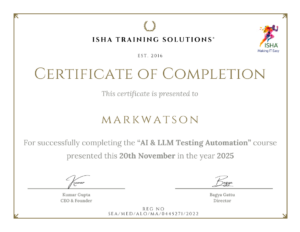
Sample Course Completion Certificate:
Your course completion certificate looks like this……
Note:
To maintain the quality of our training and ensure a smooth learning experience for all participants, we do not allow batch repetition or switching between courses.
To reiterate, moving from one course to another or shifting from one trainer to another (even if it is the same course) is not possible. Changing batches or trainers in any form is strictly not permitted.
We request all learners to attend the scheduled sessions regularly and make the most of their learning journey. Thank you for your understanding and continued support.
Course Features
- Lectures 68
- Quiz 0
- Duration 40 hours
- Skill level All levels
- Language English
- Students 720
- Assessments Yes
- 12 Sections
- 68 Lessons
- 40 Hours
- 1. Performance Testing Fundamentals & Real-World Understanding7
- 1.1Introduction to Performance Testing
- 1.2Why systems fail under load (real-world scenarios)
- 1.3Types of Performance Testing:
- 1.4Basics of Client-Server Architecture
- 1.5HTTP/HTTPS Fundamentals:
- 1.6Browser Developer Tools for request analysis Understanding:
- 1.7Browser Developer Tool, HTTP/HTML Requests, Embedded Resources, Transaction (or User Action)
- 2. Overview of Performance Test Lifecycle5
- 3. JMeter Setup & Core Concepts5
- 4. Jmeter Scripting for Web App11
- 4.1Creating Template for Web script recording
- 4.2Port & Proxy Server Setup
- 4.3Filtering Irrelevant Requests & Embedded Resources
- 4.4JMeter Certificate Installation, Recording, & Certificate Regeneration
- 4.5HTTP(s) Test Script Recorder Element, Its Attributes, & Its Best Practices Settings
- 4.6JMeter’s Recording Best Practices
- 4.7JMeter Plugin Manager & Plugins Installation & Uninstallation
- 4.8Scenarios Identification & Documentation for Performance Testing of a Web Application (Product Booking Scenario)
- 4.9End to End Recording, Scripting & Enhancement of above Scenarios in JMeter
- 4.10JMeter’s Best Practices for Scripting & Enhancement
- 4.11Script enhancement using Parameterization and Correlation
- 5. JMeter Elements, Their Sub-Elements & Their Attributes in Detail10
- 6. Jmeter Test Execution & Reporting8
- 6.1Creating workload Model for real world scenario
- 6.2Test Execution in GUI and Non-GUI Mode with Its Best Practices
- 6.3Tuning Jmeter properties for Non GUI execution
- 6.4Run and Monitor performance test
- 6.5JMeter HTML Dashboard Report Generation in Non-GUI Mode with Its Best Practices
- 6.6Test Execution & HTML Report Generation in GUI Mode and Non GUI mode
- 6.7Understanding JMeter HTML Report
- 6.8Creating Performance Test Report in Template Structure
- 7. Performance Testing for Rest APIs3
- 8. Miscellaneous Topics8
- 8.1Passing Arguments from CLI in Non-GUI Execution
- 8.2Overview on Distributed Load Testing in JMeter using Load Generators (LGs) in GUI & Non-GUI Modes (Master & Slaves Concept)
- 8.3Relative & Absolute Path Setup in JMeter
- 8.4Parameterizing Important Parameters Using __P () function & Why to Use this function?
- 8.5Common Performance Testing Bottlenecks
- 8.6How to Identify bottlenecks
- 8.7Report interpretation & insights
- 8.8Presenting findings professionally What values to be included in Jira Ticket
- 9. InfluxDB and Grafana Integration (Self-paced videos will be provided)2
- 10. Jenkins Integration (Self-paced videos will be provided)Introduction to Jenkins2
- 11. Groovy Scripting (Self-paced videos will be provided)5
- 12. Dynatrace Integration (Self-paced videos will be provided)2