Appium Mobile Automation Testing Course with Java, TestNG, Cucumber & CI/CD – Live Sessions
(Learn Appium automation for Android & iOS using Java, TestNG, Cucumber and Jenkins)
This Appium Mobile Automation Testing Course is a comprehensive, job-oriented program designed to build strong expertise in mobile automation testing using Appium with Java. The course covers Android and iOS automation, including native, hybrid, and mobile web applications, using industry-standard frameworks like TestNG and Cucumber (BDD). You will gain hands-on experience in real-time Appium projects, advanced mobile actions, and framework design best practices. The curriculum also includes CI/CD integration with Maven, GitHub, and Jenkins for enterprise-level automation. With practical labs, real device testing, and Appium interview preparation, this training prepares you for real-world automation roles.
About the Instructor:
|
Aravind is a seasoned Automation Engineer with over 13 years of hands-on industry experience in designing, building, and scaling robust test automation solutions. He has worked extensively with leading automation frameworks and tools including Selenium WebDriver, Cucumber-JVM, TestNG, JUnit, and Cypress.io, delivering high-quality automation across complex enterprise systems. His professional journey includes working with high-profile global clients such as Verizon, Standard Chartered, Emirates NBD, and Binance, where he contributed to large-scale, mission-critical projects and adopted best practices aligned with enterprise QA standards. With more than 6 years of experience in corporate training and over 3 years at Isha, Aravind has successfully trained 400+ students and played a key role in multiple corporate upskilling programs. Teaching is not just a responsibility for him but a true passion—he is known for his clear explanations, practical approach, and strong focus on fundamentals. Aravind is deeply committed to ensuring that every learner gains confidence, addressing each and every doubt with patience and clarity, and bridging the gap between theoretical concepts and real-world automation challenges. His training style emphasizes hands-on learning, industry relevance, and career readiness. |
Sample Videos:
Mobile Automation with Appium- Live Training Demo Video:
Live Sessions Price:
For LIVE sessions – The offer price after discount is 200 USD 159 89 USD Or USD13000 INR 9000 INR 6900 Rupees
OR
Free Demo On:
Indian Timings: 4th February @ 9:30 PM – 10:30 PM (IST)/
U.S Timings: 4th February @ 11 AM – 12 PM (EST)/
U.K Timings: 4th February @ 4 PM – 5 PM (BST)
Class Schedule:
For Participants in India: Monday to Friday @ 9:30 PM – 10:30 PM (IST)/
For Participants in the US: Monday to Friday @ 11 AM – 12 PM (EST)/
For Participants in the UK: Monday to Friday @ 4 PM – 5 PM (BST)
What students have to say about Arvind:
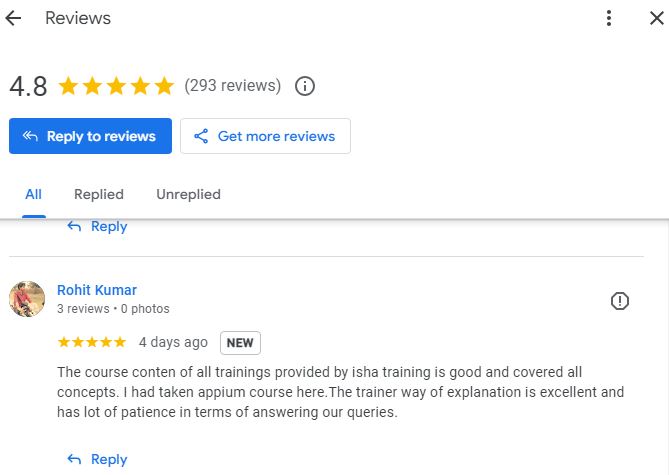
| The course conten of all trainings provided by isha training is good and covered all concepts. I had taken appium course here.The trainer way of explanation is excellent and has lot of patience in terms of answering our queries.- Rohit Kumar
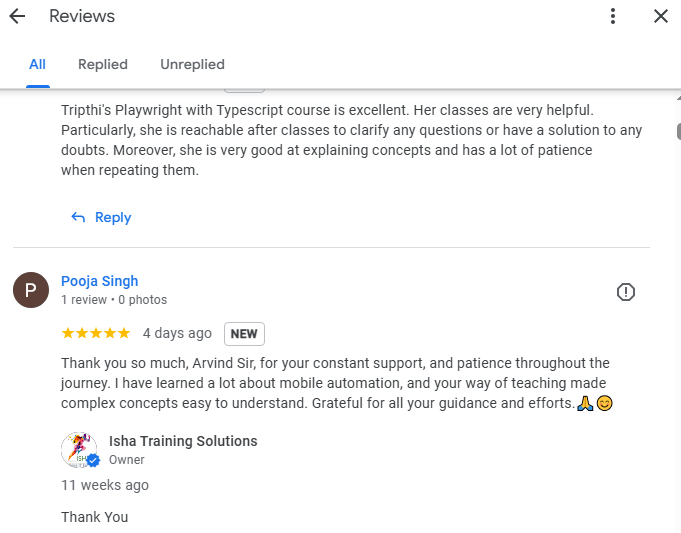
Thank you so much, Arvind Sir, for your constant support, and patience throughout the journey. I have learned a lot about mobile automation, and your way of teaching made complex concepts easy to understand. Grateful for all your guidance and efforts.🙏😊 – Pooja Singh I recently completed the Appium course, and I must say it exceeded my expectations in every way. The course content was comprehensive and well-organized, providing a deep understanding of mobile automation testing using Appium. It was structured in a way that catered to both beginners and those with some prior experience, ensuring that everyone could grasp the concepts effectively. One of the standout aspects of the course was its practical approach. The hands-on exercises allowed me to apply the theory in real-world scenarios, which helped reinforce my learning. From setting up the Appium environment to writing and executing advanced test scripts, every module was covered in detail. The examples were highly relevant, and the course provided an excellent foundation for automating mobile applications. The trainer was exceptional! They demonstrated thorough expertise in Appium and automation testing. What really impressed me was their ability to explain complex concepts in a simple and relatable manner. The sessions were interactive, and the trainer was always available to answer questions and provide additional guidance when needed. Their real-world insights, practical tips, and constant encouragement made the learning process not only informative but also enjoyable. Overall, I am incredibly satisfied with the course and feel confident in applying the skills I’ve gained in my automation testing career. I highly recommend this course to anyone looking to master Appium, and I would like to express my sincere gratitude to the trainer for their dedication and expertise. – arnab bid I found this course so amazing. Each and every point is well explained. I feel like I am learning with my personal tutor .I am from manual testing background and still able to understand everything. – Sana The course is amazing . Very easy to understand . Really good , I would rather say best for biggner. I got 80% hike just by explaining Gaurav sir’s concept via the project I did in my previous company. Appium and API learners should go through these courses for sure. Highly recommended. – Kanna you are really explaining each n everything in a correct way so that it becomes very easy to deep dive into the concept – Nag This course has been really helpful so far, and I have gained a lot of knowledge. I cannot think of a better way to get started learning Appium other than this course! – Lalitha It is a nice course to give your automation career a kick-start.. go for it.. – sam |
Salient Features:
- 55 Hours of Live Training along with recorded videos
- Lifetime access to the recorded videos
- Course Completion Certificate
Who can enroll in this course?
-
- Manual testers who want to move into automation
- Automation testers who want to learn Appium mobile testing
- QA / software testing professionals
- Developers interested in mobile automation
- Fresh graduates with basic programming knowledge
- Working professionals looking to upskill
- Corporate teams needing Appium automation training
What Will You Learn by the End of This Course?
- Understand mobile automation testing concepts and Appium architecture
- Automate Android and iOS applications using Appium with Java
- Work with native, hybrid, and mobile web applications
- Build a complete Appium automation framework using TestNG and Cucumber (BDD)
- Perform advanced mobile actions such as swipe, scroll, gestures, alerts, and notifications
- Execute tests on real devices, emulators, and simulators
- Integrate Appium automation with Maven, GitHub, and Jenkins (CI/CD)
- Generate and analyze test execution reports and logs
- Handle debugging, failures, and flaky tests effectively
- Gain real-time project experience and prepare for Appium interview questions
Course syllabus:
1. Software Testing & Automation Fundamentals
- What is Software Testing
- Manual vs Automation Testing
- Web, UI, and Mobile Automation Overview
- Challenges in Mobile Test Automation
2. Introduction to Appium
- What is Appium and Its Features
- Appium Architecture
- Native, Hybrid, and Web Applications
- Appium vs Selenium
- Appium Server and Client Communication
3. Core Java & OOPS for Automation
- Java Environment Setup (JDK, IDE)
- Java Basics and Programming Concepts
- Classes, Objects, Methods, Variables, Packages
- OOPS Concepts (Abstraction, Encapsulation, Inheritance, Polymorphism)
- Conditional Statements and Loops
- Access Modifiers
- Interfaces and Constructors
- Collections (List, Set, Map)
- Exception Handling and Custom Exceptions
4. Appium Setup & Environment Configuration
- Prerequisites and Tool Installation
- How Appium Works Internally
- Appium Architecture Deep Dive
- APK and App Package Concepts
- Real Device vs Emulator vs Simulator
- Creating and Managing Virtual Devices
- Inspecting Mobile Elements (UIAutomator Viewer / Appium Inspector)
5. Writing Your First Appium Test
- Sample Android App for Practice
- Finding AppPackage and AppActivity
- Creating Appium Java Project
- Desired Capabilities
- Starting Appium Server
- AndroidDriver Initialization
- Base Test Setup
6. Element Identification & Mobile Actions
- Locator Strategies in Appium
- Implicit and Explicit Waits
- Handling Mobile Elements
- Keyboard Actions and Key Events
- Drag and Drop
- Long Press and Scroll
- Taking Screenshots
- Handling Alerts and Popups
- Handling Switches between apps
- Handling swipe action – right , left, top , bottom
- Handling notification- sms
- Handling – WiFi, data, gps
- Handling single tab and double tap
7. Mobile Web Automation
- Automating Mobile Browsers
- Browser Desired Capabilities
- Handling Browser Launch Issues
- Executing Web Commands
- Object Identification in Mobile Web
- AppiumDriver Commands for Browser Testing
- User Agent Handling
8. iOS Automation Using Appium
- macOS and Xcode Setup
- Homebrew, Node, and NPM Installation
- WebDriverAgent Configuration
- Appium XCUITest Driver Setup
- iOS Desired Capabilities
- Running Tests on iOS Simulator
- Running Tests on Real iOS Devices
- Handling Code Signing and Provisioning
- Validating iOS Appium Setup
9. Test Automation Framework – TestNG
- Introduction to Test Frameworks
- TestNG Architecture
- Annotations and Execution Flow
- Creating TestNG Framework from Scratch
- Grouping and Prioritizing Tests
- Data-Driven Testing using DataProviders
- Assertions
- Listeners and Reports
- Test Execution Reports
10. BDD Framework – Cucumber
- Introduction to BDD
- Cucumber-JVM Overview
- Feature Files and Scenarios
- Step Definitions
- Hooks and Tags
- Scenario Outline
- Data-Driven Testing in Cucumber
- Cucumber Reports
11. Design Patterns & Best Practices
- Automation Design Patterns Overview
- Page Object Model (POM)
- Page Factory
- Framework Best Practices
- Code Reusability and Maintainability
12. AI-Powered Automation & Self-Healing Testing
- Introduction to AI in Test Automation
- Limitations of Traditional Automation
- What is Self-Healing Test Automation
- Dynamic Locator Strategies
- Multiple Locator Fallback Mechanism
- Auto-Recovery of Broken Locators
- Logging Healed Elements
- Intelligent Failure Analysis
- Handling Flaky Tests with Smart Retries
- Overview of LLM-Based Testing (Conceptual)
13. Build & CI/CD Integration
- Maven
- Maven Concepts
- Project Setup and Dependency Management
- Running Appium Tests Using Maven
- Understanding and Customizing pom.xml
- GitHub
- What is GitHub
- Manage GitHub
- Check-in , checkout , push , pull, stashing – GitHub
- Jenkins
- Jenkins Overview
- Jenkins Installation and Setup
- Git Integration
- Configuring Jenkins Jobs
- Jenkins Pipelines for Appium Automation
- Executing Tests in CI Environment
- Test Reports in Jenkins
14. Reporting, Debugging & Optimization
- Test Execution Logs
- Screenshot and Video Recording
- Failure Debugging Techniques
- Test Stability Improvement
- Automation Optimization Techniques
15. Real-Time Project & Interview Preparation
- End-to-End Appium Automation Project
- Framework Implementation from Scratch
- Industry Best Practices
- Common Appium Issues and Solutions
- Appium Interview Questions & Answers
How can enroll in this course?
OR
Call me or WhatsApp me on +91-9133190573 to enroll for the course
Live Sessions Price:
For LIVE sessions – Offer price after discount is 200 USD 159 89 USD Or USD13000 INR 9000 INR 6900 Rupees
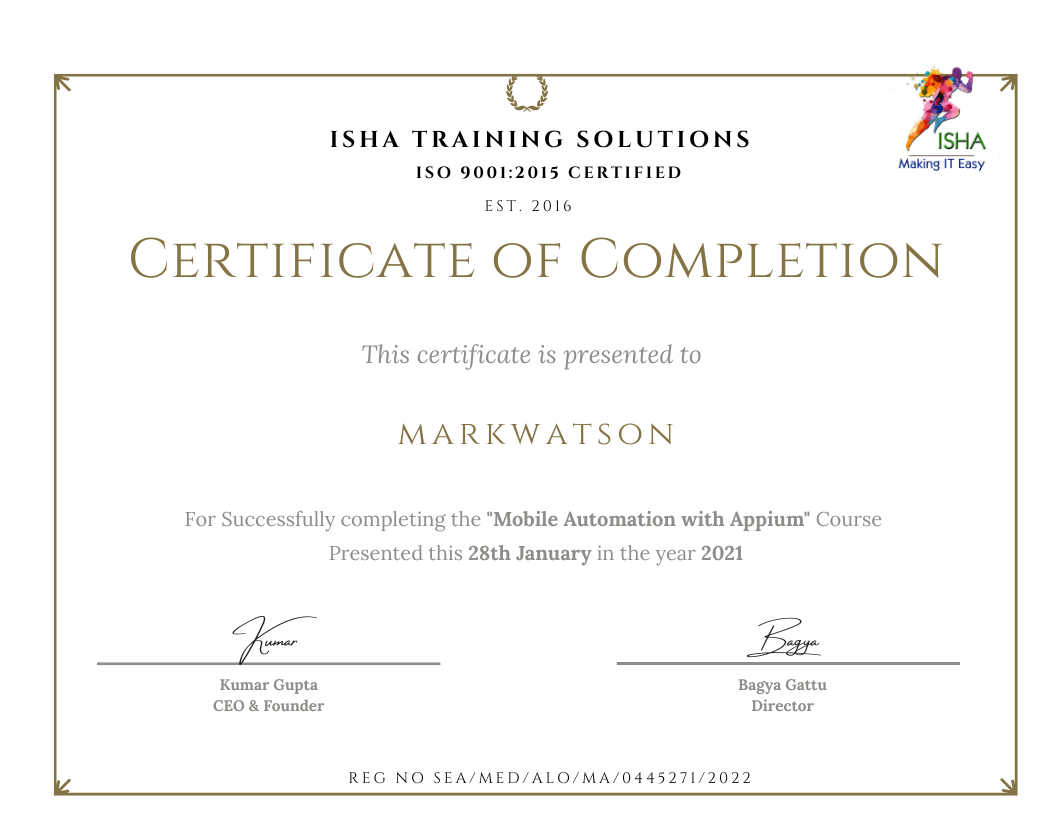
Sample Course Completion Certificate:
Your course completion certificate looks like this……
Notice:
To maintain the quality of our training and ensure a smooth learning experience for all participants, we do not allow batch repetition or switching between courses.
To reiterate, moving from one course to another or shifting from one trainer to another (even if it is the same course) is not possible. Changing batches or trainers in any form is strictly not permitted.
We request all learners to attend the scheduled sessions regularly and make the most of their learning journey. Thank you for your understanding and continued support.
Reviews:
Course Features
- Lectures 96
- Quiz 0
- Duration 55 hours
- Skill level All levels
- Language English
- Students 1893
- Assessments Yes
- 13 Sections
- 96 Lessons
- 55 Hours
- Introduction to Appium5
- OOPS CONCEPTS AND CORE JAVA9
- 2.1Setup Java environment – Download JDK and Setup eclipse
- 2.2Java programming concepts
- 2.3Class, Object, Variables, Methods & Packages
- 2.4OOPs concepts – Abstraction, Encapsulation, Polymorphism & Inheritance Conditions and Loops
- 2.5Access modifiers
- 2.6Interfaces, Constructors
- 2.7Collections – Set, List, Array ,Arraylist, Hashmap , Hashtable
- 2.8Exception Handling and creating custom exceptions
- 2.9Retrieving data from database(Oracle and Microsoft SQL)
- Appium SetUp & Installation7
- First Code in Appium5
- Touch Actions & Advanced Gestures5
- Web Application Testing8
- 6.1Launching browser with appium
- 6.2Making sure you have the correct desired capabilities
- 6.3When launch fails
- 6.4Firing various commands on browser
- 6.5Will UIAutomator work here?
- 6.6How do I identify objects in mobile browser?
- 6.7Will AppiumDriver commands work on browser?
- 6.8Finding and setting user agent
- Appium on IOS24
- 7.1Installation of Brew
- 7.2Npm commands
- 7.3Node Installation
- 7.4Xcode installation
- 7.5External Dependancies
- 7.6Configure IdeviceInstaller
- 7.7WebDriverAgent Configuration
- 7.8Download Appium dmg
- 7.9Configure Appium in system
- 7.10Download and configure Appium XcuiTest Drivers
- 7.11Installation of webDriver Commands
- 7.12Running Xcode Project
- 7.13Configuration of signing authority in Xcode
- 7.14Get Udid of real device
- 7.15Run xcode project in real device
- 7.16Test whether Xcode project and webdriver is properly configured or not
- 7.17Test whether Xcode project and webdriver are properly con figured or not
- 7.18Start Appium
- 7.19Set desired capabalities
- 7.20Start Appium on IOS
- 7.21Configure Xcode params
- 7.22Check all Simulators Present
- 7.23Get Details of Simulators , their identifeir id and their full names
- 7.24Running all apps via Xcode
- Framework TestNG10
- 8.1Brief about Testing framework and Testng
- 8.2Annotation concept and different types
- 8.3Testng Configuration and setup
- 8.4Developing a simple testNG framework
- 8.5Grouping the testcases
- 8.6Parameterization and Dataproviders(DataDriven Framework)
- 8.7Report generation using Listeners
- 8.8Assertions
- 8.9Understanding TestNG reports
- 8.10Create customized report using Testng
- Framework – Cucumber (BDD)4
- Concepts in Cucumber (BDD)6
- Design Pattern2
- Build Integration6
- Jenkins Setup and Integration:5