Mastering Git, Github & Jenkins for Software Testers: Hands-On Guide to Version Control, Continuous Integration & Automated Testing – Live Training
(Git Fundamentals, Branching & Merging Strategies, Working with GitHub, Jenkins Fundamentals, CI/CD Pipelines, Jenkins Plugins for Testers, Automated Testing with Jenkins)
Isha presents an Extensive and highly interactive “Mastering Git & Jenkins: Hands-On Guide to Version Control, Continuous Integration & Automated Testing” by our industry expert with 19 years of hands-on experience. Learn all the Git, GitHub & Jenkins concepts including version control, branching, merging, CI/CD pipeline setup, automated testing & deployment with hands-on practical examples.
This course covers the essentials of using the version control system using Git & Github, along with CI/CD/CT principles using Jenkins. You’ll be able to create a new Git repo, commit changes, and review the commit history of an existing repo.
You’ll also learn how to keep your commits organized using tags and branches and you’ll master the art of merging changes by crushing those pesky merge conflicts. This training course will help you learn continuous testing automation, build pipelines and configuration tools, automated testing and code quality improvement, and distributed system in Jenkins through intensive hands-on practice assignments.
This course is designed in such a way that the user can start the things from the very scratch without any prior knowledge on software version control management, git and GitHub and also without any prior knowledge on continuous integration, continuous deployment, continuous testing & continuous delivery.
About the Instructor:
| Madhu Kiran is an ITIL qualified Full Stack SDET specialist, Corporate Trainer and Consultant with over 19 years of experience in leading & delivering corporate training with tangible direction to IT professionals by imparting white-box knowledge in Software Testing, Test Automation, Test Practices & Competencies, Corporate Trainings & TCoE Delivery.
We cannot be good at something unless we like it and have fun doing it. The approach I take in my training sessions is to get the participants excited about technology and make it entertaining. I would like to consider myself an “Entertrainer”. → Successfully trained 6000+ employees across 500+ corporate giants & is still counting |
Sample Videos:
“Mastering Git, Github & Jenkins for Software Testers: Hands-On Guide to Version Control, Continuous Integration & Automated Testing”-Demo Video
Live Sessions Price:
For LIVE sessions – Offer price after discount is 129 USD 109 89 USD Or USD15000 INR 9900 INR 6900 Rupees.
OR
Free Demo On:
3rd September @ 8 PM – 9 PM (IST) (Indian Timings)
3rd September @ 10:30 AM – 11:30 AM (EST) (U.S Timings)
3rd September @ 3:30 PM – 4:30 PM (BST) (UK Timings)
Class Schedule:
For Participants in India: Monday to Friday 8 PM – 9 PM (IST)
For Participants in the US: Sunday to Thursday 10:30 AM – 11:30 AM (EST)
For Participants in the UK: Monday to Friday 3:30 PM – 4:30 PM (BST)
What student’s have to say about Trainer :
|
Madhu Kiran is one of the most knowledgeable trainers I have ever met. He explains Git and Jenkins concepts in a very simple, step-by-step manner so that even beginners can follow without confusion. His real-world examples, like how branching strategies are applied in IT companies, made a huge difference for me. I came into this course with zero knowledge, but by the end, I felt confident using GitHub workflows and Jenkins jobs in real projects. The best thing about Madhu Kiran is his patience and dedication. He never hesitates to repeat a concept until every student understands. I personally struggled with Git commands earlier, but after his explanation of commits, branches, and merges, everything became crystal clear. His session on integrating Postman API tests with Jenkins gave me the practical exposure I needed for my current QA role. Truly a trainer who connects theory with industry practice. Madhu Kiran 19+ years of industry experience really reflects in his teaching style. He not only covers tools like Git, GitHub, and Jenkins but also shares industry best practices, tips for interviews, and career guidance. I especially liked his practical demonstrations on Jenkins pipelines and automated testing — they gave me real confidence to apply these skills at work. He is approachable, humble, and always ensures every student feels included. I loved how interactive the classes with Madhu Kiran were. He makes sure everyone participates, asks questions, and practices commands hands-on. His way of teaching Git rebase, cherry-pick, and merge conflict resolution was excellent. The Jenkins part of the training was equally valuable, especially job scheduling, build triggers, and email notifications. Madhu Kiran is not just a trainer but also a mentor who guides us for real-world challenges. he explains every concept with real-time project scenarios. I had attended other trainings before, but none were as clear and practical as his. I really appreciated how he taught branching strategies like feature, release, and hotfix branches in Git and then connected them to CI/CD pipelines in Jenkins. The knowledge I gained here immediately helped me in my job. He is very professional and approachable. One thing I admire about his passion for teaching. Every session was detailed, well-planned, and delivered with clarity. He encouraged us to try commands on our own and corrected mistakes patiently. His training on GitHub repository management and Jenkins job automation was invaluable. The course not only improved my technical skills but also gave me confidence in interviews. Madhu Kiran is truly one of the best trainers I have learned from. |
What will I Learn by the end of this course?
- You’ll learn how to keep track of the different versions of your code and configuration files using a popular version control system (VCS) called Git
- You’ll learn about Git’s core functionality so you can understand how and why it’s used in organizations
- Collaborate with others through remote repositories ; Use and interact with GitHub while running git on your local machine
- By the end of this course, you’ll be able to store your code’s history in Git and collaborate with others in GitHub, where you’ll also start creating your own portfolio!
- Install, configure, and secure your Jenkins server
- Organize and monitor general-purpose build jobs
- Integrate automated tests to verify the build & establish effective team notification strategies
Salient Features:
- 24 Hours of Live Training along with recorded videos
- Lifetime access to the recorded videos
- Course Completion Certificate
Who can enroll in this course?
- Software Testers & QA Engineers who want to learn Git, GitHub, and Jenkins for automation and CI/CD.
- Manual Testers looking to upskill and move into automation & DevOps practices.
- Automation Testers who want to integrate their test frameworks (Postman, Selenium, Pytest, etc.) with GitHub & Jenkins.
- Freshers & Students aspiring to build strong skills in version control and continuous integration.
- Developers & DevOps Enthusiasts who want a hands-on guide to collaboration, automation, and build pipelines.
- Anyone Interested in CI/CD and modern software testing workflows.
- Software Developers, DevOps, Test Engineers & project managers who want to learn version control management & CI/CD/CT basics using Jenkins tool.
- Software Engineers who want to switch their career to DevOps.
- Fresher/Graduates who want to start their career in this field.
Course syllabus:
✅CHAPTER 1: INTRODUCTION TO VERSION CONTROL
- What is version control system
- Why do I need version control system
- Learn why developers use version control
- Discover ways you use version control in your daily life, by keeping historical copies
- Challenges in pre-era of version control management
- Understanding
- Which changes were made
- Who made the changes
- When were the changes made
- Why were changes needed
- Version Control System – 2 types
- What is Centralized version control system
- What is Distributed version control system
- What is Git, Github ?
- Are Git & Github related to each other ?
✅CHAPTER 2: ALL THE GIT COMMANDS YOU NEED TO KNOW
- What is Git used for & Why Git
- Installation of Git & Gitbash on Windows OS
- Understanding the basic Git workflow
- What is a local repository
- What is a git repository
- What is a remote repository
- Creating local/git/remote repository
- Set git user.name
- Set git user.email
- Unset git user.name
- Unset git user.email
- Set git core.editor
- Unset git core.editor
- Convert local repo to git repo
- Initialize git repo
- Stage/track new/modified/deleted files in git
- Commit the staged changes in git
- Undo the commit made in git
- Convert git repo to local repo
- Viewing git status
- Understanding git help
- Exploring git restore/checkout commands
- Creating alias for git commands
- Viewing git log & stats
- Creating/configuring .gitignore file
- Understanding git diff command(s)
- Understanding difference in 2 git commit hashes
- Executing git amend to update git commit message
- Executing git rebase to squash/fixup/reword git changes
- Creating branches
- Viewing the branches [local/remote/all]
- Switching to other branches
- Merging branch changes with master branch
- Knowing which branches are merged with master
- Renaming & Deleting branches [local/remote]
- Git Reset vs Git Revert
- Knowing difference in 2 branches
- Pushing the branches to remote
- Understanding git merge vs git rebase
- Exploring git cherry-pick
- Understanding how git stash works
- Understanding git tags & git release process
- Creating tags [local/remote]
- Viewing tags
- Pushing tags from local to remote
- Deleting tags from local & remote
- Creating a branch from a given tag
- Creating a tag from older commit hash
✅CHAPTER 3: WORKING WITH GITHUB
- What is Github
- What is remote/remote repo
- Basic interaction with Github
- Creating & Logging into a Github account
- Creating a project in Github
- Creating your first Github repository
- Viewing other Github repositories
- Download/Clone Github repositories
- What is git clone https vs git clone ssh
- Fetching new changes via pull request
- The pull-merge-push workflow
- Learning Github forking & pull request submissions after cloning to local
- Github Forking vs Github Clone
- Conversion of repo visibility, transfer of ownership, archive & deletion of repo
✅CHAPTER 4: GETTING STARTED WITH JENKINS
- Overview of Jenkins UI & environment
- Download Jenkins.war file
- Run jenkins.war file & set up on local host
- Configure Jenkins
✅CHAPTER 5: WORKING WITH JENKINS JOBS
- How to create a Jenkins job
- Create Jenkins Freestyle project
- What is source code configuration
- What is build triggers
- What is scheduling build jobs
- Adding build steps-post-build actions
- Configure Jenkins job to check for source code periodically
- Building the first Jenkins Job
- Analyzing the build results status
- Viewing the console output in Jenkins
- Introduction to build triggers & to build steps
- Introduction to post build actions
- Running the configured build job
- Setting up email notifications in Jenkins
✅CHAPTER 6: IMPLEMENTING AUTOMATED TESTING & DEPLOYMENT
- Integration of API automation test scripts from Postman tool to Jenkins
- Integration of JMeter performance test scripts to Jenkins
- Integration of Accessibility testing scripts (Pa11y tool, Lighthouse tool) to Jenkins
- Execution of API automation tests in Jenkins
- Execution of Performance automation tests in Jenkins
- Execution of Accessibility automation tests in Jenkins
- Generation of test reports from Jenkins
- Configuring SMTP in Jenkins to trigger automated email notifications
How can I enroll for this course?
OR
For any other details, Call me or Whatsapp me on +91-9133190573
Live Sessions Price:
For LIVE sessions – Offer price after discount is 129 USD 109 89 USD Or USD15000 INR 9900 INR 6900 Rupees.
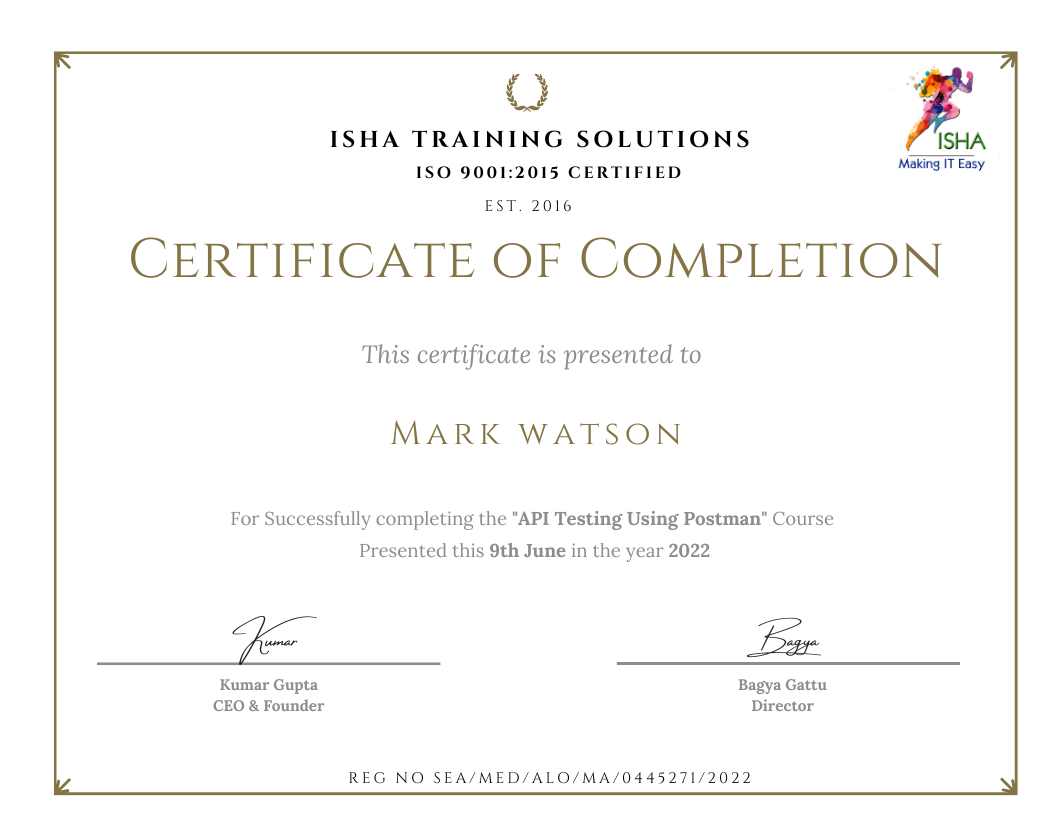
Sample Course Completion Certificate:
Your course completion certificate looks like this……
Important Note:
To maintain the quality of our training and ensure smooth progress for all learners, we do not allow batch repetition or switching between courses. Once you enroll in a batch, please make sure to attend the classes regularly as per the schedule. We kindly request you to plan your learning accordingly. Thank you for your support and understanding.
Course Features
- Lectures 103
- Quiz 0
- Duration 24 hours
- Skill level All levels
- Language English
- Students 0
- Assessments Yes
- 6 Sections
- 103 Lessons
- 24 Hours
- CHAPTER 1: INTRODUCTION TO VERSION CONTROL16
- 1.1What is version control system
- 1.2Why do I need version control system
- 1.3Learn why developers use version control
- 1.4Discover ways you use version control in your daily life, by keeping historical copies
- 1.5Challenges in pre-era of version control management
- 1.6Understanding
- 1.7Which changes were made
- 1.8Who made the changes
- 1.9When were the changes made
- 1.10Why were changes needed
- 1.11Version Control System – 2 types
- 1.12What is Centralized version control system
- 1.13What is Distributed version control system
- 1.14What is Git, Github ?
- 1.15Are Git & Github related to each other ?
- 1.16Common buzz words around VCS
- CHAPTER 2: ALL THE GIT COMMANDS YOU NEED TO KNOW47
- 2.1What is Git used for & Why Git
- 2.2Installation of Git & Gitbash on Windows OS
- 2.3Understanding the basic Git workflow
- 2.4What is a local repository
- 2.5What is a git repository
- 2.6What is a remote repository
- 2.7Creating local/git/remote repository
- 2.8Set git user.name
- 2.9Set git user.email
- 2.10Unset git user.name
- 2.11Set git core.editor
- 2.12Unset git core.editor
- 2.13Convert local repo to git repo
- 2.14Initialize git repo
- 2.15Stage/track new/modified/deleted files in git
- 2.16Commit the staged changes in git
- 2.17Undo the commit made in git
- 2.18Convert git repo to local repo
- 2.19Viewing git status
- 2.20Understanding git help
- 2.21Exploring git restore/checkout commands
- 2.22Creating alias for git commands
- 2.23Viewing git log & stats
- 2.24Creating/configuring .gitignore file
- 2.25Understanding git diff command(s)
- 2.26Understanding difference in 2 git commit hashes
- 2.27Executing git amend to update git commit message
- 2.28Executing git rebase to squash/fixup/reword git changes
- 2.29Creating branches
- 2.30Viewing the branches [local/remote/all]
- 2.31Switching to other branches
- 2.32Merging branch changes with master branch
- 2.33Knowing which branches are merged with master
- 2.34Renaming & Deleting branches [local/remote]
- 2.35Git Reset vs Git Revert
- 2.36Knowing difference in 2 branches
- 2.37Pushing the branches to remote
- 2.38Understanding git merge vs git rebase
- 2.39Exploring git cherry-pick
- 2.40Understanding how git stash works
- 2.41Understanding git tags & git release process
- 2.42Creating tags [local/remote]
- 2.43Viewing tags
- 2.44Pushing tags from local to remote
- 2.45Deleting tags from local & remote
- 2.46Creating a branch from a given tag
- 2.47Creating a tag from older commit hash
- CHAPTER 3: WORKING WITH GITHUB14
- 3.1What is Github
- 3.2What is remote/remote repo
- 3.3Basic interaction with Github
- 3.4Creating & Logging into a Github account
- 3.5Creating a project in Github
- 3.6Creating your first Github repository
- 3.7Viewing other Github repositories
- 3.8Download/Clone Github repositories
- 3.9What is git clone https vs git clone ssh
- 3.10Fetching new changes via pull request
- 3.11The pull-merge-push workflow
- 3.12Learning Github forking & pull request submissions after cloning to local
- 3.13Github Forking vs Github Clone
- 3.14Conversion of repo visibility, transfer of ownership, archive & deletion of repo
- CHAPTER 4: GETTING STARTED WITH JENKINS4
- CHAPTER 5: WORKING WITH JENKINS JOBS14
- 5.1How to create a Jenkins job
- 5.2Create Jenkins Freestyle project
- 5.3What is source code configuration
- 5.4What is build triggers
- 5.5What is scheduling build jobs
- 5.6Adding build steps-post-build actions
- 5.7Configure Jenkins job to check for source code periodically
- 5.8Building the first Jenkins Job
- 5.9Analyzing the build results status
- 5.10Viewing the console output in Jenkins
- 5.11Introduction to build triggers & to build steps
- 5.12Introduction to post build actions
- 5.13Running the configured build job
- 5.14Setting up email notifications in Jenkins
- CHAPTER 6: IMPLEMENTING AUTOMATED TESTING & DEPLOYMENT8
- 6.1Integration of API automation test scripts from Postman tool to Jenkins
- 6.2Integration of JMeter performance test scripts to Jenkins
- 6.3Integration of Accessibility testing scripts (Pa11y tool, Lighthouse tool) to Jenkins
- 6.4Execution of API automation tests in Jenkins
- 6.5Execution of Performance automation tests in Jenkins
- 6.6Execution of Accessibility automation tests in Jenkins
- 6.7Generation of test reports from Jenkins
- 6.8Configuring SMTP in Jenkins to trigger automated email notifications