K6 – API Performance Testing – Live Training
(K6 Tool, JavaScript Scripting, API Load Testing, Stress Testing, Spike Testing, Performance Metrics Monitoring, Threshold Validation, CI/CD Integration, Real-Time Performance Testing Project)
Master K6 API Performance Testing with this comprehensive, hands-on course designed for beginners and professionals looking to build expertise in performance testing, load testing, and API testing. Learn how to test and optimize the performance of web applications and REST APIs using the powerful k6 open-source tool.
This course covers essential concepts such as non-functional testing, performance testing strategies (load, stress, spike, and soak testing), and key performance metrics (latency, response time, throughput, and error rate). You will gain practical experience in writing k6 scripts using JavaScript, executing tests, and analyzing real-time performance reports to identify bottlenecks.
With real-world projects and hands-on exercises, you will learn how to perform API functional testing and performance testing, implement data-driven testing, and simulate real user traffic using virtual users (VUs). The course also includes integration with popular tools like Git, GitHub, GitHub Actions, Grafana Cloud, Postman, and JMeter, helping you build CI/CD-ready performance testing workflows.
By the end of this course, you will be job-ready for roles such as Performance Test Engineer, QA Automation Engineer, and SDET, with strong skills in k6 scripting, API testing, and performance optimization.
About the Instructor:
|
Madhu Kiran is an ITIL-certified Full Stack SDET Specialist, Corporate Trainer, and Consultant with over 20+ years of rich industry experience in Software Testing and Quality Engineering. He is known for delivering result-oriented corporate training programs that equip IT professionals with strong practical exposure and deep white-box testing knowledge, helping them apply concepts effectively in real-time projects. He brings extensive expertise across Software Testing, Test Automation, Test Practices & Competencies, and the establishment of Testing Centers of Excellence (TCoE). Madhu Kiran also specializes in modern performance testing, particularly using K6 for API Performance Testing, where he enables learners to master advanced techniques through real-time, hands-on scenarios. His technical proficiency spans across API testing using REST Assured and Postman, performance testing with tools such as JMeter, Gatling, and K6, as well as Security Testing practices. With a strong focus on end-to-end quality engineering, he ensures that learners gain both conceptual clarity and implementation-level understanding. Madhu Kiran strongly believes that learning should be engaging and enjoyable.He follows a unique “Entertrainer” approach, blending deep technical knowledge with an interactive and energetic training style that keeps participants motivated and excited about technology. Over the course of his career, he has successfully trained more than 6,000 professionals across 500+ corporate organizations. He has hands-on experience delivering training in multiple formats, including classroom sessions, live online programs, recorded modules, and on-demand learning, catering to diverse learner needs across various domains and industries. In addition, Madhu Kiran has played a key role in designing and streamlining training materials and processes for QA-related programs across corporate clients. His contributions have consistently helped organizations improve their testing capabilities, enhance team performance, and achieve higher levels of customer satisfaction. |
Live Sessions Price:
For LIVE sessions – Offer price after discount is 300 USD 259 89 USD Or USD13000 INR 12900 INR 6900 Rupees
OR
Free Demo On:
Indian Timings: 7th April @ 8 PM – 9 PM (IST)/
U.S Timings: 7th April @ 10:30 AM – 11:30 AM (EST)/
U.K Timings: 7th April @ 3:30 PM – 4:30 PM (BST)
Class Schedule:
For Participants in India: Monday to Friday @ 8 PM – 9 PM (IST)
For Participants in the US: Monday to Friday @ 10:30 AM – 11:30AM (EST)
For Participants in the UK: Monday to Friday @ 3:30 PM – 4:30 PM (BST)
What students have to say about Madhu Kiran:
| 👨 Great learning experience from start to end. The trainer focused on practical implementation. This helped me understand real-time performance testing. — Rajesh
👩 Madhu Kiran is a fantastic trainer! His explanation of performance metrics and monitoring tools was very clear. — Emily J 👨 This course was an excellent learning experience from start to finish. Madhu Kiran explained K6 from basic to advanced concepts in a simple way. The hands-on sessions and real-time examples made learning very effective. I highly recommend this course for anyone interested in API performance testing.— Ethan 👩 The real-time projects and interview preparation were outstanding. Madhu Kiran explained every concept clearly, making it easy to apply in real scenarios. — Priya 👨 This course gave me a solid understanding of API performance testing. Madhu Kiran explained each concept with clarity.— Mohammed 👩 The course content was well organized and easy to understand. Madhu Kiran focused on both concepts and implementation. The CI/CD integration and real-time examples were very useful. This training helped me improve my performance testing skills significantly. — Shreya |
Salient Features:
- 30 Hours of Live Training along with recorded videos
- Lifetime access to the recorded videos
- Course Completion Certificate
Who can enroll for this course?
-
Software Testers / QA Engineers looking to upgrade their skills in API Load Testing and Performance Testing
-
Automation Test Engineers who want to integrate performance testing into their automation framework
-
Developers interested in JavaScript-based load testing and improving application performance
-
DevOps Engineers aiming to implement CI/CD Integration for performance testing
-
Performance Test Engineers who want to learn modern tools like k6 for real-time performance testing
-
Manual Testers planning to transition into automation and performance testing
-
Students / Freshers who want to start a career in software testing and performance engineering
What will I learn by the end of this course?
-
LO1: Master the fundamentals of k6 scripting, including setup, syntax, and best practices for writing efficient and maintainable test scripts.
-
LO2: Be fully prepared for real-world client interviews and job opportunities in performance testing using k6 (from basic to advanced levels).
-
LO3: Develop the ability to generate, analyze, and interpret k6 performance metrics to identify system bottlenecks and optimize application performance.
-
LO4: Design and implement robust performance test scripts using k6, leveraging its powerful built-in features and capabilities.
Course syllabus:
CHAPTER 1: INTRODUCTION TO PERFORMANCE TESTING & KPI METRICS
- Introduction to Non-Functional testing
- Practical example for demonstrating API client & server architecture model
○ API Request & API Response
○ HTTP & HTTPS protocols
○ HTTP Methods/HTTP verbs
○ HTTP Request Headers
○ HTTP Response Headers
○ Response Codes & Description - Introduction to web application performance testing strategies
○ Stress testing
○ Load Testing
○ Endurance/Soak Testing
○ Spike testing - Understanding Performance KPI metrics
○ Connection time
○ Latency
○ Response time
○ Throughput
○ Error rate
○ 90%, 95% & 99% percentile
CHAPTER 2: SET UP OF k6 TOOL & VISUAL STUDIO IDE
- Download & Installation k6 open-source version & k6 studio tool
- What is k6 and a walk-through of k6 documentation
- Installation of k6 dependencies [npm init -y ; npm install -D k6 ; npm install -D @types/k6]
- Setting up Visual Studio IDE on the client machine
- Installation of k6 useful plugins [k6 for Visual Studio, k6 snippets, k6 script generator] in Visual Studio IDE
CHAPTER 3: FUNCTIONAL TESTING OF REST APIs USING k6 [HANDS-ON-EXERCISE]
- Introduction to the REST APIs project which uses Bearer Access token authorization
- Creating a new project in VS editor for API testing (functional & performance) of the REST APIs
- Understanding k6 anatomy of a test script [import, export const options, export function setup, export default function, export function teardown]
- Creating functional automation tests for authorization enabled (Bearer token) REST APIs using GET, POST, PUT, PATCH, DELETE, BATCH http methods in k6 tool
- Configuring the JSON request payload within the k6 test script to test POST/PUT/PATCH APIs
- Creating & supplying the JSON request payload as an external JSON test data file to POST/PUT/PATCH APIs
- Creating ‘checks’ (functional validations/assertions) in k6 tool for GET, POST, PUT, PATCH, DELETE APIs
- Executing the test scripts from k6 local/terminal to analyze k6 output/test results
- Validating the response code, response time, response body, response size & response headers using k6 checks
- Printing the response attributes in the console to understand the API response attributes
- Analyzing to understand the k6 built-in metrics shown in the test results in k6 terminal such as
http-req-duration, http-req-failed, http-req-receiving, http-req-sending, http-req-waiting, http-reqs, iteration-duration, iterations, max VUs, max duration - Capturing the k6 test scripts execution results from console log into a log file
- Generating & analyzing the performance test report in CLI/JSON/CSV/HTML formats
- Configuring the summary trend stats in the generated test report in CLI/JSON/CSV/HTML formats
CHAPTER 4: PERFORMANCE TESTING OF REST APIs USING k6 [HANDS-ON-EXERCISE]
- Creating & executing load tests at API endPoint level in k6 framework
- Adding sleep (constant & random times) in k6 load test script, to simulate different think time scenarios
- Create a k6 load test to run for fixed duration and fixed number of virtual users
- Create a k6 load test to run for fixed iterations and fixed number of virtual users
- Create a k6 load test to run for fixed duration, fixed iterations and fixed number of virtual users
- Create a k6 load test to simulate ramp up and ramp down of virtual users to simulate real prod behavior
- Creating & executing load tests at API user journeys level in k6 framework by implementing scenarios & various executor strategies such as
shared-iterations, per-vu-iterations, constant-vus, ramping-vus, constant-arrival-rate, ramping-arrival-rate, externally-controlled - Conduct correlation amongst the dependent APIs to capture server generated dynamic values
- Configuring Thresholds against performance test metrics such as
http_req_duration, http_req_failed, http_req_duration, http_reqs, checks - Execution of k6 test scripts from k6 local i.e., local terminal with/without load tests configuration
- Generating & analyzing the performance test report in CLI/JSON/CSV/HTML formats
CHAPTER 5: CONDUCTING DATA DRIVEN AUTOMATION LOAD TESTING FOR REST APIs [HANDS-ON-EXERCISE]
- What is data parameterization
- Identifying & automating the test-data creation process using JSON, CSV, k6 utils & java script faker library
- Conducting data driven automation load tests for REST APIs using k6 tool
- Monitor the system performance to analyze the performance/load test results
- Interpret the performance test results from the generated test report to understand performance bottlenecks
CHAPTER 6: INTEGRATION OF k6 TOOL WITH GIT, GITHUB, GITHUB ACTIONS, GRAFANA CLOUD, POSTMAN, JMETER & CHAT-GPT TOOLS [HANDS-ON-EXERCISE]
- Download & Installation of Git tool
- Integration of k6 tool with Git, GitHub & GitHub Actions for CI/CD/CT
- Integration of k6 with Grafana cloud to visualize the test results in the cloud & observability
- Using k6 Studio to record web application browser events & generate k6 test scripts
- Integration & Conversion of Browser network calls (.har) into k6 test scripts
- Integration & Conversion of Postman API collections (.json) into k6 test scripts
- Integration & Conversion of JMeter test scripts (.jmx) into k6 test scripts
- Using Chat-GPT to generate k6 performance script from the given API spec swagger.json raw text format
FAQ’s – K6 API Performance Testing:
1. What is k6 and why is it used?
k6 is an open-source performance testing tool used to test the reliability, scalability, and performance of APIs, microservices, and web applications. It helps simulate real-world load and analyze system behavior under stress.
2. Is k6 suitable for beginners?
Yes. k6 uses JavaScript, making it relatively easy for beginners to learn. With basic programming knowledge, you can start writing test scripts quickly.
3. Do I need coding knowledge to learn k6?
Basic JavaScript knowledge is recommended, but not mandatory. The course covers scripting concepts from scratch, making it beginner-friendly.
4. What types of testing can be performed using k6?
k6 supports multiple performance testing types such as:
- Load Testing
- Stress Testing
- Spike Testing
- Endurance (Soak) Testing
5. Can k6 be used for API testing only?
Primarily, k6 is used for API performance testing, but it can also be extended for browser-based testing using k6 Studio and integrations.
6. How is k6 different from JMeter?
k6 uses JavaScript for scripting and is developer-friendly, lightweight, and easy to integrate with CI/CD pipelines. JMeter uses a GUI-based approach and XML configurations, which can be more complex to manage.
7. Can k6 be integrated with CI/CD tools?
Yes. k6 can be integrated with tools like GitHub Actions, Jenkins, and other CI/CD platforms to automate performance testing in pipelines.
8. What kind of reports does k6 generate?
k6 provides test results in CLI, JSON, CSV, and HTML formats. It can also integrate with Grafana Cloud for advanced visualization and monitoring.
9. What are Virtual Users (VUs) in k6?
Virtual Users simulate real users interacting with your application. They help in generating load to test system performance under different conditions.
10. What are thresholds in k6?
Thresholds define performance criteria (e.g., response time, error rate). If these thresholds are breached, the test is marked as failed.
11. Can k6 handle authentication-based APIs?
Yes. k6 supports various authentication mechanisms, including Bearer Token, OAuth, and API keys.
12. Is k6 free to use?
k6 open-source version is free. There is also a paid cloud version (Grafana k6 Cloud) with advanced features like distributed testing and monitoring.
13. Will I get hands-on experience in this course?
Yes. The course includes real-time projects and hands-on exercises covering functional and performance testing of REST APIs.
14. What tools are integrated with k6 in this course?
You will learn integration with Git, GitHub, GitHub Actions, Grafana Cloud, Postman, JMeter, and ChatGPT.
15. What career opportunities are available after learning k6?
After learning k6, you can pursue roles such as:
- Performance Test Engineer
- QA Automation Engineer
- SDET (Software Development Engineer in Test)
- DevOps/QA Engineer
How can I enroll for this course?
OR
For any other details, Call me or Whatsapp me on +91-9133190573
Live Sessions Price:
For LIVE sessions – Offer price after discount is 300 USD 259 89 USD Or USD13000 INR 12900 INR 6900 Rupees
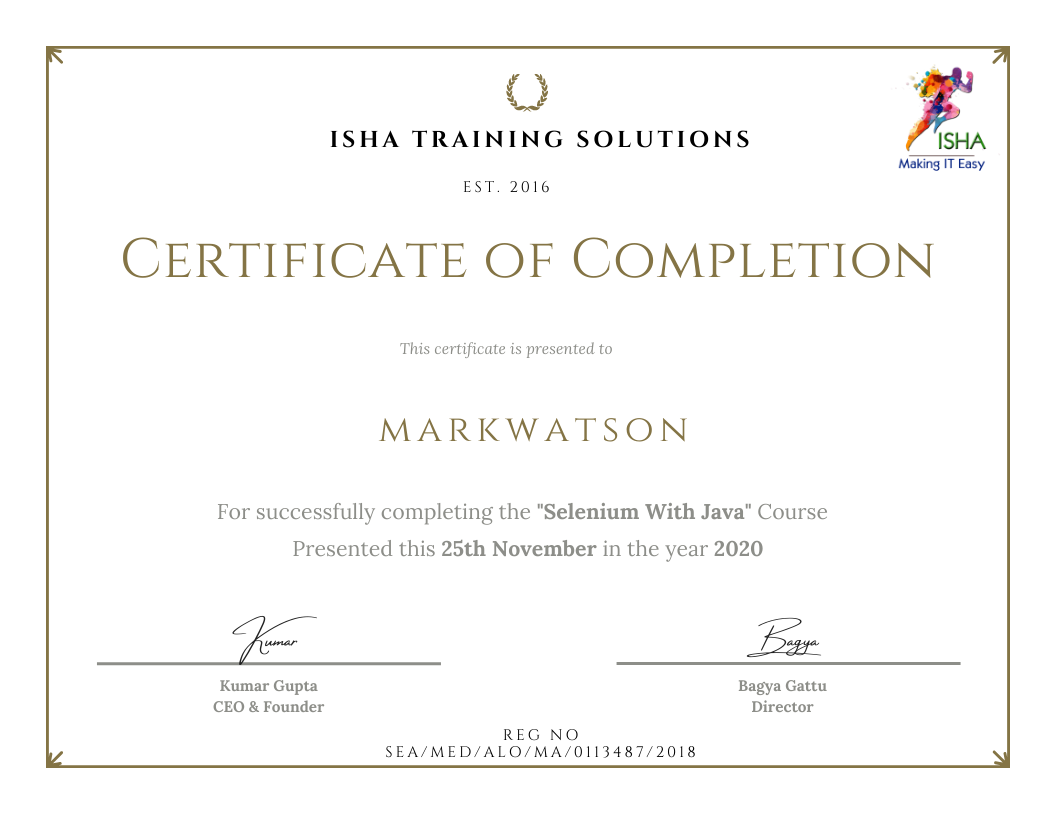
Sample Course Completion Certificate:
Your course completion certificate looks like this……
Note:
To maintain the quality of our training and ensure a smooth learning experience for all participants, we do not allow batch repetition or switching between courses.
To reiterate, moving from one course to another or shifting from one trainer to another (even if it is the same course) is not possible. Changing batches or trainers in any form is strictly not permitted.
We request all learners to attend the scheduled sessions regularly and make the most of their learning journey. Thank you for your understanding and continued support.
Course Features
- Lectures 45
- Quiz 0
- Duration 30 hours
- Skill level All levels
- Language English
- Students 0
- Assessments Yes
- 6 Sections
- 45 Lessons
- 30 Hours
- CHAPTER 1: INTRODUCTION TO PERFORMANCE TESTING & KPIs METRICS4
- CHAPTER 2: SET UP OF k6 TOOL & VISUAL STUDIO IDE5
- 2.1Download & Installation k6 open-source version & k6 studio tool
- 2.2What is k6 and a walk-through of k6 documentation
- 2.3Installation of k6 dependencies [npm init -y ; npm install -D k6 ; npm install -D @types/k6]
- 2.4Setting up Visual Studio IDE on the client machine
- 2.5Installation of k6 useful plugins [k6 for Visual Studio, k6 snippets, k6 script generator] in Visual Studio IDE
- CHAPTER 3: FUNCTIONAL TESTING OF REST APIs USING k6 [HANDS-ON-EXERCISE]14
- 3.1Introduction to the REST APIs project which uses Bearer Access token authorization
- 3.2Creating a new project in VS editor for API testing (functional & performance) of the REST APIs
- 3.3Understanding k6 anatomy of a test script [import, export const options, export function setup, export default function, export function teardown]
- 3.4Creating functional automation tests for authorization enabled (Bearer token) REST APIs using GET, POST, PUT, PATCH, DELETE, BATCH http methods in k6 tool
- 3.5Configuring the JSON request payload within the k6 test script to test POST/PUT/PATCH APIs
- 3.6Creating & supplying the JSON request payload as an external JSON test data file to POST/PUT/PATCH APIs
- 3.7Creating ‘checks’ (functional validations/assertions) in k6 tool for GET, POST, PUT, PATCH, DELETE APIs
- 3.8Executing the test scripts from k6 local/terminal to analyze k6 output/test results
- 3.9Validating the response code, response time, response body, response size & response headers using k6 checks
- 3.10Printing the response attributes in the console to understand the API response attributes
- 3.11Analyzing to understand the k6 built-in metrics shown in the test results in k6 terminal such as http-req-duration, http-req-failed, http-req-receiving, http-req-sending, http-req-waiting, http-reqs, iteration-duration, iterations, max VUs, max duration
- 3.12Capturing the k6 test scripts execution results from console log into a log file
- 3.13Generating & analyzing the performance test report in CLI/JSON/CSV/HTML formats
- 3.14Configuring the summary trend stats in the generated test report in CLI/JSON/CSV/HTML formats
- CHAPTER 4: PERFORMANCE TESTING OF REST APIs USING k611
- 4.1Creating & executing load tests at API endPoint level in k6 framework
- 4.2Adding sleep (constant & random times) in k6 load test script, to simulate different think time scenarios
- 4.3Create a k6 load test to run for fixed duration and fixed number of virtual users
- 4.4Create a k6 load test to run for fixed iterations and fixed number of virtual users
- 4.5Create a k6 load test to run for fixed duration, fixed iterations and fixed number of virtual users
- 4.6Create a k6 load test to simulate ramp up and ramp down of virtual users to simulate real prod behavior
- 4.7Creating & executing load tests at API user journeys level in k6 framework by implementing scenarios & various executor strategies such as shared-iterations, per-vu-iterations, constant-vus, ramping-vus, constant-arrival-rate, ramping-arrival-rate, externally-controlled
- 4.8Conduct correlation amongst the dependent APIs to capture server generated dynamic values
- 4.9Configuring Thresholds against performance test metrics such as http_req_duration, http_req_failed, http_req_duration, http_reqs, checks etc
- 4.10Execution of k6 test scripts from k6 local i.e., local terminal with/without load tests configuration
- 4.11Generating & analyzing the performance test report in CLI/JSON/CSV/HTML formats
- CHAPTER 5: CONDUCTING DATA DRIVEN AUTOMATION LOAD TESTING FOR REST APIs5
- 5.1What is data parameterization
- 5.2Monitor the system performance to analyze the performance/load test results
- 5.3Identifying & automating the test-data creation process using JSON, CSV, k6 utils & java script faker library
- 5.4Conducting data driven automation load tests for REST APIs using k6 tool
- 5.5Interpret the performance test results from the generated test report to understand performance bottlenecks
- CHAPTER 6: INTEGRATION OF k6 TOOL WITH GIT, GITHUB, GITHUB ACTIONS, GRAFANA CLOUD, POSTMAN, JMETER & CHAT-GPT TOOLS6
- 6.1Download & Installation of Git tool
- 6.2Integration of k6 tool with Git, GitHub & GitHub Actions for CI/CD/CT
- 6.3Integration of k6 with Grafana cloud to visualize the test results in the cloud & observability
- 6.4Using k6 Studio to record web application browser events & generate k6 test scripts
- 6.5Integration & Conversion of Browser network calls (.har) into k6 test scripts
- 6.6Integration & Conversion of Postman API collections (.json) into k6 test scripts