AI-Powered Performance Testing with JMeter, Groovy, AppDynamics, InfluxDB, Grafana & Datadog– Live Training
(JMeter, AI for Test Script Creation, Groovy Scripting, CI/CD Integration, AppDynamics, InfluxDB, Grafana & Datadog Monitoring)
This industry-oriented training program is designed to help professionals master modern Performance Testing and Engineering using Apache JMeter with real-time project scenarios and AI-powered testing techniques. The course provides hands-on exposure to Web & API Performance Testing, JMeter Scripting, Correlation & Parameterization, Non-GUI Execution, and different types of performance testing including load, stress, spike, and endurance testing.
The program also focuses on next-generation AI-enabled Performance Engineering concepts such as AI for Test Script Creation, AI-Based Load Test Setup, AI-Assisted Result Analysis, Root Cause Analysis (RCA), and AI for Performance Testers. Participants will learn Groovy Scripting with JSR223, debugging techniques, reporting, workload modeling, and best practices followed in real-time enterprise projects.
In addition, the course includes practical exposure to CI/CD & Integration Concepts, Performance Monitoring & Bottleneck Analysis, and integrations with leading monitoring platforms such as AppDynamics, Datadog, Dynatrace, Grafana, and InfluxDB. This course is ideal for Performance Test Engineers, QA Engineers, Automation Testers, SREs, DevOps Engineers, and working professionals looking to upgrade their skills with modern AI-driven performance engineering practices.
Sample Videos:
AI-Powered Performance Testing with JMeter. Groovy, AppDynamics, InfluxDB gRAFANA & Daiadog – Live Training – Demo Recording
AI-Powered Performance Testing with JMeter. Groovy, AppDynamics, InfluxDB gRAFANA & Daiadog – Live Training – Day 1 Recording
About the Instructor:
|
|
Live Sessions Price:
For LIVE sessions – Offer price after discount is 300 USD 259 109 USD Or USD13000 INR 12900 INR 8900 Rupees
OR
Free Demo On:
Indian Timings: 8th June @ 9 PM – 10 PM (IST)/
U.S Timings: 8th June @ 11:30 AM – 12:30 PM (EST)/
U.K Timings: 8th June @ 4:30 PM – 5:30 PM (BST)
Class Schedule:
For Participants in India: Monday to Friday @ 9 PM – 10 PM (IST)
For Participants in the US: Monday to Friday @ 11:30 AM – 12:30 PM (EST)
For Participants in the UK: Monday to Friday @ 4:30 PM – 5:30 PM (BST)
What will I learn by the end of this course?
- Understand performance testing fundamentals and different testing types such as Load, Stress, Spike, and Endurance testing
- Install, configure, and work confidently with Apache JMeter
- Create and enhance JMeter scripts for Web and API Performance Testing
- Handle dynamic values using correlation, parameterization, regular expressions, and extractors
- Design realistic workload models using threads, ramp-up, pacing, and throughput concepts
- Achieve target TPS/TPH using proper thread group configuration and timers
- Execute tests in GUI and Non-GUI modes and generate detailed HTML reports
- Debug JMeter scripts and analyze response time, throughput, latency, and error metrics effectively
- Work with BeanShell and Groovy scripting for advanced scenarios
- Integrate JMeter with Jenkins, InfluxDB, Grafana, and BlazeMeter
- Understand basic monitoring and observability concepts for performance analysis
- Learn real-time project scenarios, interview questions, and industry best practices
- Learn how AI tools can help generate test data, create scripts faster, explain errors, and assist in performance analysis
What student’s have to say about:
| 👨 Rahul Verma:The JMeter concepts were explained from basic to advanced level with real-time examples. I especially liked the sections on correlation, parameterization, and Non-GUI execution. The AI integration topics made the course unique and industry-ready.
👩 Sneha Reddy: Excellent course for beginners and experienced testers. The trainer explained performance testing concepts very clearly. I learned JMeter scripting, API testing, dashboard reports, and AI-assisted test analysis in a practical way. 👨 Naveen Raj: I liked the way the trainer covered JMeter recording, regular expressions, dynamic correlation, and reporting. The course content is very detailed and easy to understand even for freshers. 👩 Meera: Very informative training with hands-on practice sessions. The AI suggestions for load patterns and bottleneck analysis were very interesting and useful for real projects. 👨 Arjun Kumar: The sessions on AI-generated JMeter scripts and AI-based RCA were very useful. The real-time project demonstrations helped me understand how performance testing works in actual companies. Highly recommended for performance testers. |
Salient Features:
- 40 Hours of Live Training along with recorded videos
- Lifetime access to the recorded videos
- Course Completion Certificate
Who can enroll in this course?
- Manual Testers who want to move into Performance Testing
- Automation Testers looking to add JMeter and performance skills
- Performance Testers aiming to upskill with DevOps, Cloud, and AI tools
- QA Engineers and QA Leads working on web and API applications
- Developers who want to understand and improve application performance
- DevOps, SRE, and Cloud Engineers involved in CI/CD pipelines
- Fresher’s or beginners interested in starting a career in Performance Testing
- Anyone looking to build real-world, job-ready performance engineering skills
Course syllabus:
Module 1: JMeter Introduction & Core Concepts
1.1 JMeter History, Protocols Supported & Features
1.2 Java (JDK & JRE) Installation & JMeter Setup
1.3 HTTP/HTTPS Protocol, Requests, Responses & Status Codes
1.4 Browser Developer Tools, Sessions, Cookies & Cache
1.5 HTTP Methods & CRUD Operations (GET, POST, PUT, DELETE)
Module 2: JMeter Scripting
2.1 Web & API Scripting Scenarios in JMeter
2.2 JMeter Major Components & Elements
2.3 Proxy Setup & Recording from Browsers
2.4 Filtering Irrelevant Requests & Embedded Resources
2.5 JMeter Certificate Installation & Recording
2.6 HTTP(S) Test Script Recorder & Best Practices
2.7 JMeter Recording Best Practices
2.8 JMeter Directory Structure & Important Files
2.9 JMeter Properties Files
2.10 Plugin Manager & Plugins Installation
2.11 Scenario Identification for Performance Testing
2.12 End-to-End Recording & Script Enhancement
2.13 JMeter Scripting Best Practices
2.14 Dynamic Values & Authorization Tokens Handling
2.15 Correlation & Parameterization
2.16 VUsers, Ramp-Up, Loop Count, Think Time & Pacing
2.17 Regular Expressions in JMeter
2.18 Regular Expression Extractor
2.19 Real-Time Dynamic Correlation Examples
2.20 BeanShell Scripting & Challenges
Module 3: JMeter Test Execution
3.1 Non-GUI Execution & Best Practices
3.2 Java Heap Size Settings
3.3 Understanding Test Summarizer
3.4 HTML Dashboard Report Generation
3.5 Importance of JTL Files
3.6 Response Time Conversion in Reports
3.7 Summarizer Time Configuration
3.8 Stopping Non-GUI Execution
3.9 GUI Execution & HTML Reports
3.10 Understanding HTML Dashboard Reports
3.11 Saving Failed Requests & Responses
3.12 __P() Function & Parameterization
3.13 Passing CLI Arguments in Non-GUI Mode
3.14 Scope of Elements & Variables
3.15 Local & Global Variables
3.16 Execution Order of JMeter Elements
3.17 Relative & Absolute Paths
3.18 Script Debugging Techniques
3.19 CSV Data Set Config & Random CSV
3.20 Types of Performance Testing
3.21 Test Execution & Reporting
Module 4: JMeter Elements in Detail
4.1 Test Plan
4.2 Non-Test Elements
4.3 Thread Group
4.4 Controllers
4.5 Samplers
4.6 Config Elements
4.7 Assertions
4.8 Timers
4.9 Listeners
4.10 Pre & Post Processors
4.11 Web Services Execution
4.12 REST API Execution
4.13 Integration with AppDynamics, InfluxDB & Grafana
4.14 Basic CI/CD & Integration Concepts
Module 5: AI for Test Script Creation
5.1 Generate JMeter Scripts using AI Prompts
5.2 Convert Business Flows into Test Steps
5.3 AI Assistance for Correlation, Parameterization & Test Data
5.4 Creating & Analyzing NFRs
5.5 Generate Test Plans & Test Strategies
Module 6: AI for Load Test Setup
6.1 AI Suggestions for Users, Ramp-Up & Duration
6.2 Load Pattern Recommendations
6.3 Bottleneck Identification using AI
Module 7: AI for Result Analysis
7.1 Understanding Performance Metrics
7.2 Identifying Failed Requests & Slow APIs
7.3 AI-Based Report Summary & RCA
Module 8: AI + Monitoring Integration
8.1 Understanding Monitoring Dashboards
8.2 CPU, Memory & Resource Utilization Analysis
8.3 Detecting Performance Anomalies
Module 9: AI for Performance Testers
9.1 AI-Assisted JMeter Script Generation
9.2 AI-Based Debugging Assistance
9.3 Auto-Generated Reports & Performance Summaries
Module 10: Groovy Scripting
10.1 Introduction to Groovy and JSR223
10.2 Groovy – Comment Print Variables
10.3 Groovy – Operators
10.4 Groovy – Variables
10.5 Groovy – Real life examples
Module 11: Datadog Integration
11.1 Introduction to Datadog
11.2 JMeter Integration with Dynatrace
Live Sessions Price:
For LIVE sessions – Offer price after discount is 300 USD 259 109 USD Or USD13000 INR 12900 INR 8900 Rupees
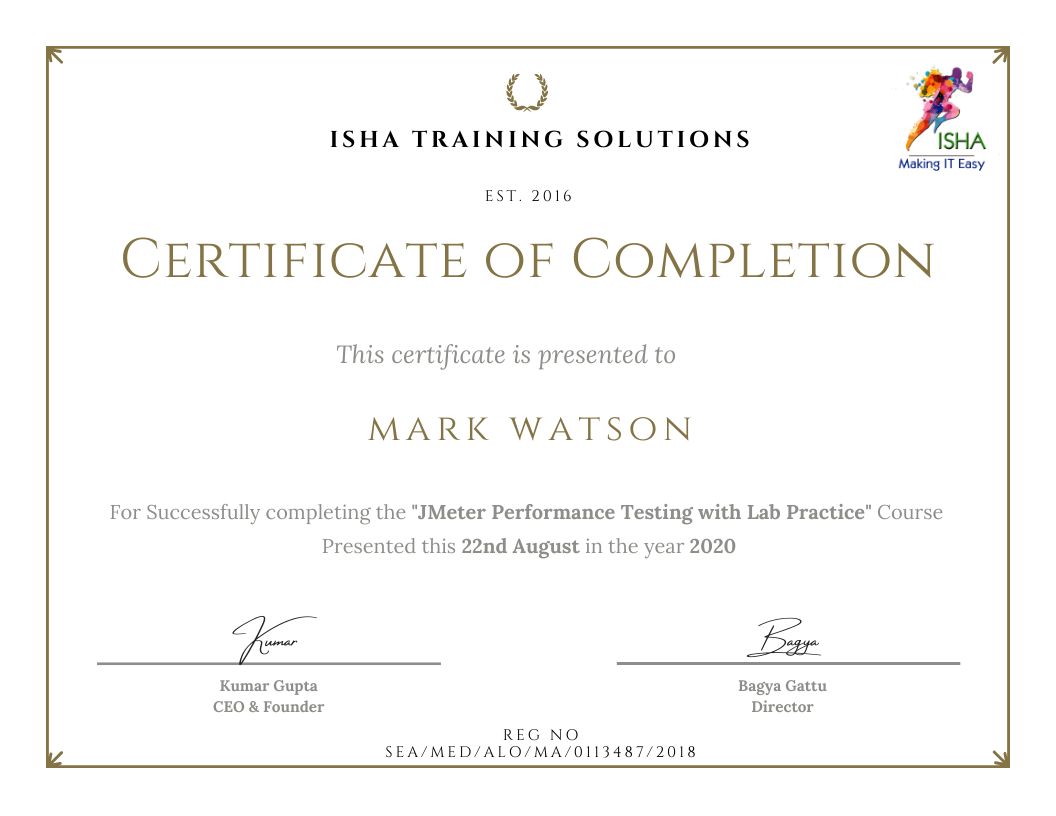
Sample Course Completion Certificate:
Your course completion certificate looks like this……
Note:
To maintain the quality of our training and ensure a smooth learning experience for all participants, we do not allow batch repetition or switching between courses.
To reiterate, moving from one course to another or shifting from one trainer to another (even if it is the same course) is not possible. Changing batches or trainers in any form is strictly not permitted.
We request all learners to attend the scheduled sessions regularly and make the most of their learning journey. Thank you for your understanding and continued support.
Course Features
- Lectures 78
- Quiz 0
- Duration 40 hours
- Skill level All levels
- Language English
- Students 1578
- Assessments Yes
- 10 Sections
- 78 Lessons
- 40 Hours
- Jmeter Introduction & Jmeter core concepts5
- 1.1JMeter History, Protocols Supported & Its FeaturesCopy
- 1.2Java (JDK & JRE) Installation & Java Environment/System Variable (or Home Path) Setup JMeter Download, Installation & Launching on Windows & MacCopy
- 1.3HTTP(s) Protocol: – Request, Response, Headers, Request Methods, & Status CodesCopy
- 1.4Browser Developer Tool, HTTP/HTML Requests, Embedded Resources, Transaction (or User Action), Cookies, Cache, User SessionCopy
- 1.5Types of HTTP Request Methods & CRUD Operations: – GET, POST, PUT & DELETECopy
- Jmeter Scripting20
- 2.1Scripting using Docker, Kubernetes based demo application running on microservicesCopy
- 2.2JMeter’s 12 Major Elements (or Components)Copy
- 2.3Port & Proxy Server Setup & Recording from Different BrowsersCopy
- 2.4Filtering Irrelevant Requests & Embedded ResourcesCopy
- 2.5JMeter Certificate Installation in Different Browsers, Recording, & Certificate RegenerationCopy
- 2.6HTTP(s) Test Script Recorder Element, Its Attributes, & Its Best Practices SettingsCopy
- 2.7JMeter’s Recording Best PracticesCopy
- 2.8Walk-through of JMeter’s Directory: – Various Files & FoldersCopy
- 2.9JMeter’s Properties FilesCopy
- 2.10JMeter Plugin Manager & Plugins Installation & UninstallationCopy
- 2.11Scenarios Identification & Documentation for Performance Testing of a Web Application (Product Booking Scenario)Copy
- 2.12End to End Recording, Scripting & Enhancement of above Scenarios in JMeterCopy
- 2.13JMeter’s Best Practices for Scripting & EnhancementCopy
- 2.14Dynamic Values & Authorization Tokens, & Their HandlingCopy
- 2.15Correlation & ParameterizationCopy
- 2.16VUsers (or Threads), Ramp Up, Ramp Down, Loop, Think Time, PacingCopy
- 2.17Regular Expression in JMeterCopy
- 2.18Regular Expression Extractor with Its Attributes in DetailCopy
- 2.19Realtime Use Cases Examples of Dynamic Values Extraction in JMeterCopy
- 2.20Beanshell scripting and challengesCopy
- Jmeter Test Execution22
- 3.1Test Execution in Non-GUI Mode with Its Best PracticesCopy
- 3.2JMeter’s Java Heap Size SettingCopy
- 3.3Understanding Test SummarizerCopy
- 3.4JMeter HTML Dashboard Report Generation in Non-GUI Mode with Its Best PracticesCopy
- 3.5Importance of JTL fileCopy
- 3.6Changing Response Time Values to Seconds in HTML ReportCopy
- 3.7Decreasing the Summarizer TimeCopy
- 3.8Stopping Test Execution in Non-GUI ModeCopy
- 3.9Test Execution & HTML Report Generation in GUI ModeCopy
- 3.10Understanding JMeter HTML ReportCopy
- 3.11Saving Complete Requests & Responses for Failed Requests of a Test to a FileCopy
- 3.12Parameterizing Important Parameters Using __P() function & Why to Use this function?Copy
- 3.13Passing Arguments from CLI in Non-GUI ExecutionCopy
- 3.14Scope of JMeter Elements & VariablesCopy
- 3.15Local & Global VariablesCopy
- 3.16Execution Order (or Presidency) of JMeter ElementsCopy
- 3.17Relative & Absolute Path Setup in JMeterCopy
- 3.18Debugging of Script in JMeter: – 4 helpful optionsCopy
- 3.19CSV Data Set Config & Random CSV Data Set ConfigCopy
- 3.20Distributed Load Testing in JMeter using Load Generators (LGs) in GUI & Non-GUI Modes (Master & Slaves Concept)Copy
- 3.21Types of Performance TestingCopy
- 3.22Test Run & ReportingCopy
- JMeter Elements, Their Sub-Elements & Their Attributes in Detail14
- 4.1Test PlanCopy
- 4.2Non-Test ElementsCopy
- 4.3Thread GroupCopy
- 4.4Controller Elements of JMeterCopy
- 4.5Sampler Elements of JMeterCopy
- 4.6Config Elements of JMeterCopy
- 4.7Assertion Elements of JMeterCopy
- 4.8Timer Elements of JMeterCopy
- 4.9Listener Elements of JMeterCopy
- 4.10Pre & Post Processor Elements of JMeterCopy
- 4.11JMeter Web Services ExecutionCopy
- 4.12JMeter REST services ExecutionCopy
- 4.13JMeter Integration and analysis with Appdynamics, Influxdb, GrafanaCopy
- 4.14Jmeter integration with JenkinsCopy
- AI-Powered Performance Testing0
- AI for Test Script Creation5
- 6.1Generate basic JMeter scripts using natural language promptsCopy
- 6.2Convert user journeys / business flows into JMeter test stepsCopy
- 6.3Automatically identify and applyCopy
- 6.4Assist in creating and analysing NFRs (Non-Functional Requirements)Copy
- 6.5Generate performance test plans and strategy automaticallyCopy
- AI for Load Test Setup3
- AI for Result Analysis3
- AI + Monitoring Integration3
- AI for Performance Testers3